Table of Contents
- Why Automate Field Service Billing Now
- Best Practices for Field Service Invoicing
- Integrating FSM Software with Accounting Systems
- CRA Compliance for Digital Invoicing
Last Updated: August 12, 2026
Why Automate Field Service Billing Now
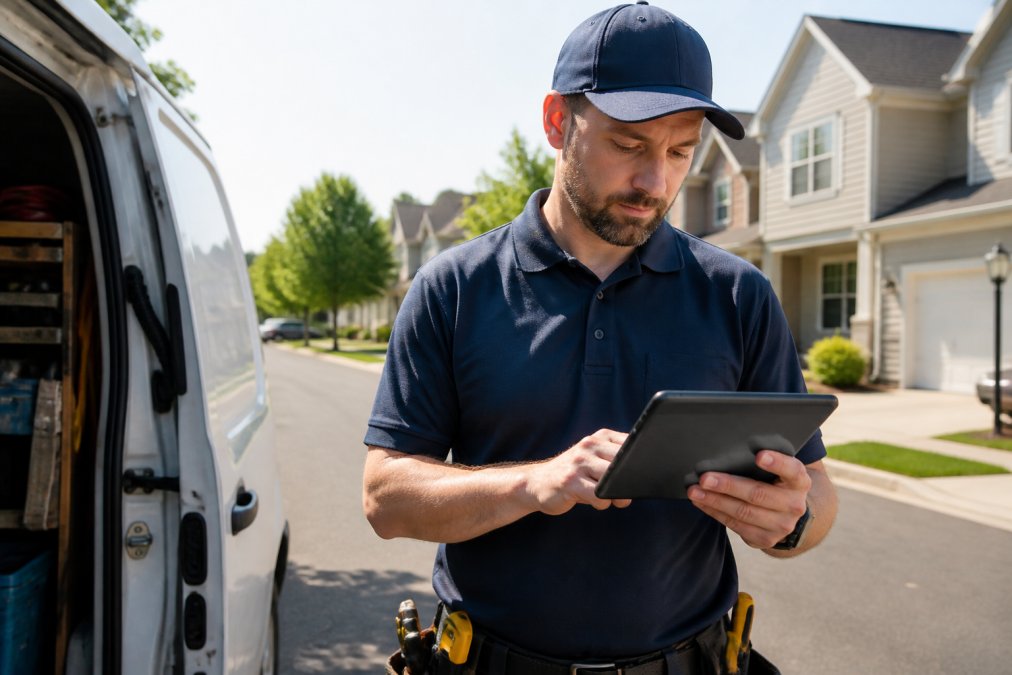
Automating field service billing connects job completion directly to invoicing, reducing administrative overhead and accelerating revenue collection. When you automate, technicians capture job details in real time, invoices generate automatically, and payment processing begins immediately. Small HVAC and plumbing shops with 5-50 employees see the biggest impact, as these teams typically lack dedicated accounting staff and handle scheduling, invoicing, and follow-up simultaneously.
Businesses operating in Canada must maintain audit trails for invoicing, comply with GST/HST requirements, and ensure payment records are traceable. Automated billing platforms maintain complete records, timestamp transactions, and integrate with accounting software, reducing audit burden and regulatory exposure. Canada Revenue Agency’s guidance on digital record-keeping requires businesses to maintain organized, retrievable financial records. Automation ensures compliance by default.
Best Practices for Field Service Invoicing
Effective field service invoicing starts with real-time data capture at the job site. Technicians should record labor hours, parts used, and service completion status directly into the system, eliminating transcription errors and ensuring billing accuracy.
Make invoicing invisible to the technician. A mobile app should guide them through a simple workflow: confirm job completion, add notes if needed, capture a signature or photo proof, and submit. The system then generates the invoice automatically, applies labor rates and parts markup, and calculates taxes based on service location and customer type.
Recurring billing deserves special attention. Your invoicing system should automate maintenance contracts and service agreements, applying charges on schedule without manual intervention. Payment terms should be clear and enforced consistently, if you offer net-30 terms, the system should flag unpaid invoices at day 25 and send automated reminders. Integration with your accounting software closes the loop: when an invoice is generated, it should automatically sync to your general ledger, accounts receivable aging report, and tax liability calculations.
|
Best Practice |
Implementation |
Impact |
|---|---|---|
|
Real-time job capture |
Mobile app at job site |
Eliminates manual data entry errors |
|
Automated invoice generation |
System creates invoice on job completion |
Reduces invoicing time by 80%+ |
|
Recurring billing automation |
System applies charges on schedule |
Improves cash flow predictability |
|
Payment reminders |
Automated follow-up at day 25 |
Reduces days sales outstanding |
|
Accounting integration |
Invoice syncs to general ledger |
Eliminates reconciliation work |
Integrating FSM Software with Accounting Systems
Field service management software and accounting systems must communicate seamlessly. The integration should flow in both directions: from FSM to accounting, completed jobs trigger invoices that post to accounts receivable and the general ledger; from accounting back to FSM, payment receipts update job status and customer account balance, closing the revenue cycle automatically.
Real-time synchronization matters more than nightly batch uploads. Tax calculation is where integration becomes critical, the system must apply the correct tax rate based on service location and customer type, with provincial GST/HST rates varying and some services being tax-exempt. QuickBooks Online integration is standard for most field service platforms. Ensure your FSM system connects directly, not through manual exports and imports.
Canada Revenue Agency’s GST/HST registration and compliance requirements outline the specific tax obligations for service businesses.
CRA Compliance for Digital Invoicing
The Canada Revenue Agency requires businesses to maintain complete, organized records of all financial transactions. Digital invoicing systems must meet these standards or you risk audit complications.
Record retention: Keep all invoices, supporting documents, and payment records for at least six years. Your FSM system should archive invoices automatically and make them searchable and retrievable.
Invoice content: Every invoice must include invoice number, invoice date, description of services, amount charged, GST/HST amount if applicable, and payment terms. Your system should enforce these fields and prevent incomplete invoices.
Electronic records: The CRA accepts digital invoices as valid records, provided they’re stored securely and not altered after issuance. Your FSM system should timestamp invoices, prevent editing after creation, and maintain an audit trail.
GST/HST registration: If your business is GST/HST registered, your invoicing system must track and report taxable and exempt supplies separately, feeding this data to your GST/HST return automatically.
CRA’s digital record-keeping requirements for businesses provides detailed guidance on acceptable digital records.
Implementation Steps to Automate Field Service Billing
Start by mapping your current invoicing process end-to-end, identifying bottlenecks and error points. Select an FSM system that matches your business size. YourRadar is built specifically for trades businesses with 5-50 employees, offering customizable features like dispatch mapping and automated timesheets.

Configure your system to match your business rules: labor rates, parts markup percentages, tax rates by service location, and payment terms. Run a pilot with 20-30 jobs while maintaining your old process in parallel. Migrate your active customer list and historical data carefully, ensuring names, addresses, service history, and outstanding balances transfer correctly. Go live on a Monday morning with your full team present and someone dedicated to monitoring the first day.
Overcoming Common Implementation Challenges
The biggest barrier is staff adoption. Overcome this by involving your team in system selection and configuration. Data quality is the second major challenge, before going live, audit your data: clean up customer records, verify parts inventory accuracy, and confirm labor rates are current and applied consistently.
Integration complexity can derail implementations. Before selecting a system, verify it integrates with your specific accounting platform. If it doesn’t, either choose a different FSM system or accept manual reconciliation.
Automation’s Impact on Cash Flow and Operational Efficiency
Automating field service billing directly improves cash flow by accelerating invoice delivery and payment collection. When invoices are generated automatically on job completion and delivered immediately, payment terms start immediately, not days later after manual processing.
A typical office manager spends 10-15 hours weekly on invoicing tasks. Automation eliminates 80-90% of this work, redirecting 500-750 hours annually to revenue-generating activities. Billing accuracy improves measurably, automated systems apply consistent rules, capture data directly at the source, and enforce validation before invoices are issued, reducing billing disputes and revenue leakage.
Choosing the Right Automation Platform for Your Business
Evaluate platforms based on three criteria: ease of use, integration capability, and support quality. Ease of use matters most for small teams without dedicated IT staff. Integration capability determines whether automation actually reduces work, your FSM system must connect directly to your accounting software, payment processor, and customer communication tools. Support quality is critical during and after implementation. YourRadar provides in-house development support specifically for trades business operations.
Moving Forward with Automation
Automating field service billing is no longer optional for competitive trades businesses. The efficiency gains, cash flow improvements, and compliance benefits are too significant to ignore. Start by auditing your current invoicing process and identifying your biggest pain points. Then evaluate platforms based on how well they solve your specific problems. Request a demo, ask for references from similar-sized businesses, and run a pilot before committing.
Get started with YourRadar and request a demo to see how automated timesheets, dispatch mapping, and integrated invoicing can transform your billing process and free your team to focus on growth.
Frequently Asked Questions
What are the primary benefits of automating field service billing?
Automating field service billing cuts manual data entry, reduces invoicing errors, and accelerates payment collection. Technicians capture work details in real time on mobile devices, eliminating the need for paper timesheets or delayed office processing. Accurate, timely invoices improve cash flow and reduce revenue leakage from unbilled hours or forgotten parts charges. Most businesses also see significant time savings—administrative staff spend less time reconciling records and chasing missing information.
How does automated billing integrate with existing accounting software?
Field service management platforms sync work order data, labor hours, and parts used directly to your accounting system via API integration. When a technician completes a job in the field, the system automatically generates an invoice and pushes it to QuickBooks, Sage, or other accounting tools. This eliminates double-entry, keeps financial records synchronized in real time, and reduces reconciliation time. Integration with accounting systems also ensures accurate job costing and makes tax reporting simpler.
Is automated field service billing suitable for small HVAC and plumbing shops?
Yes. Small teams of 5–50 technicians benefit most from automation because it frees up administrative staff to focus on growth rather than paperwork. A streamlined mobile app means technicians—even those who aren't tech-savvy—can clock in, log work, and generate invoices without friction. Smaller businesses also see faster returns on investment because the time savings are proportionally larger. The key is choosing a platform built for simplicity and trades-specific workflows, not enterprise complexity.
What should I look for in field service billing tools for 2026?
Prioritize mobile-first design, real-time work order synchronization, and seamless accounting integration. Look for tools that capture labor and parts tracking automatically, support recurring billing for service agreements, and offer customer portals for transparency. Mobile invoicing—the ability to generate and send invoices from the job site—accelerates payment collection. Also verify the platform supports your specific accounting software and complies with CRA requirements for digital invoicing and record retention.
How do I ensure tax compliance when automating invoices in Canada?
Automated invoicing systems must retain digital records for at least six years per CRA guidelines and include all required invoice elements: invoice number, date, business details, customer information, description of work, amount charged, and GST/HST if applicable. The system should automatically calculate and track tax by jurisdiction if you operate across provinces. Use a platform that supports multi-jurisdictional tax rules and generates audit-ready reports. Consult your accountant to confirm the platform meets your specific provincial and federal obligations.
How long does it typically take to implement automated field service billing?
Implementation timelines vary but typically range from 2–8 weeks depending on your business size, data migration complexity, and team readiness. Initial setup involves configuring job types, labor rates, parts inventory, and accounting software connections. Staff training—especially for field technicians—usually takes 1–2 weeks. Platforms with in-house support teams and straightforward mobile interfaces accelerate adoption. Starting with core features (scheduling, timesheets, invoicing) and adding advanced capabilities later can reduce initial deployment time.
What happens if my team resists using the new billing software?
Adoption challenges are common but manageable with the right approach. Choose a platform designed for non-tech users with an intuitive mobile app—complicated systems breed resistance. Involve your team early in selection and training, and clearly communicate the time savings and benefits (fewer manual timesheets, faster paychecks). Start with a small pilot group, gather feedback, and refine workflows before full rollout. Ongoing support from your software vendor and internal champions who model the new process accelerate buy-in.
Can automated billing help reduce payment delays for service contractors?
Yes. Automated invoicing generates and sends invoices immediately after job completion, compressing the payment cycle by days or weeks. Mobile invoicing lets technicians send invoices from the job site, enabling same-day or next-day payment. Customer portals provide visibility into invoice status and payment options, reducing follow-up calls. Integrated payment processing allows customers to pay directly through the invoice, further accelerating cash collection. These features combined typically improve cash flow significantly, especially for businesses with many small jobs.