Table of Contents
- Why Field Service Safety Checklists Fail (And How to Fix Them)
- How to Build a Field Service Safety Checklist Template That Works
- Digital Safety Forms for Field Workers: What to Look For
- Workplace Safety Inspection Best Practices for Trades Teams
- Offline-First Mobile Checklists: The Gap Most Teams Miss
- Closing the Loop: Real-Time Reporting and Post-Job Safety Audits
- Conclusion
- Frequently Asked Questions
Last Updated: September 15, 2026
Why Field Service Safety Checklists Fail (And How to Fix Them)
Most field service safety checklists fail because they were designed for the office, not the truck. A technician with cold hands and a leaking pipe needs three questions that stop the job before someone gets hurt, not a 40-question form. This guide from YourRadar breaks down how to build a field service safety checklist crews actually complete, and how digital tools close the loop between jobsite and office.
The real problem isn’t that technicians don’t care about safety. It’s that paper-based processes make compliance feel like paperwork instead of protection.
The Real Cost of a Missed Hazard
A missed hazard rarely announces itself. It shows up later as a workers’ compensation claim, a rework invoice, or a crew that stops trusting the process. According to the Canadian Centre for Occupational Health and Safety, employers have a legal duty to identify and control workplace hazards before work begins. In field service, that duty travels with the technician to every site.
The financial side compounds quietly. A single incident can trigger investigation time, lost billable hours, equipment downtime, and premium adjustments, none of which shows up on the original job estimate.
The most common failure is treating a checklist as a signature-collection exercise. If a technician can tick every box without looking up from the tablet, the form is protecting the company, not the worker.
What Good Looks Like on a Jobsite
A strong jobsite safety protocol does three things in under two minutes: identifies what could hurt someone today, confirms controls are in place, and creates an audit-proof record. Technicians already run this logic in their heads; the checklist makes it visible, repeatable, and defensible, and captured digitally, the same form feeds compliance tracking and safety metrics without re-entering data.
How to Build a Field Service Safety Checklist Template That Works
A field service safety checklist template works when it’s built around job types, not job titles, changing based on whether the crew is doing a rooftop HVAC install, a basement plumbing repair, or a panel upgrade.
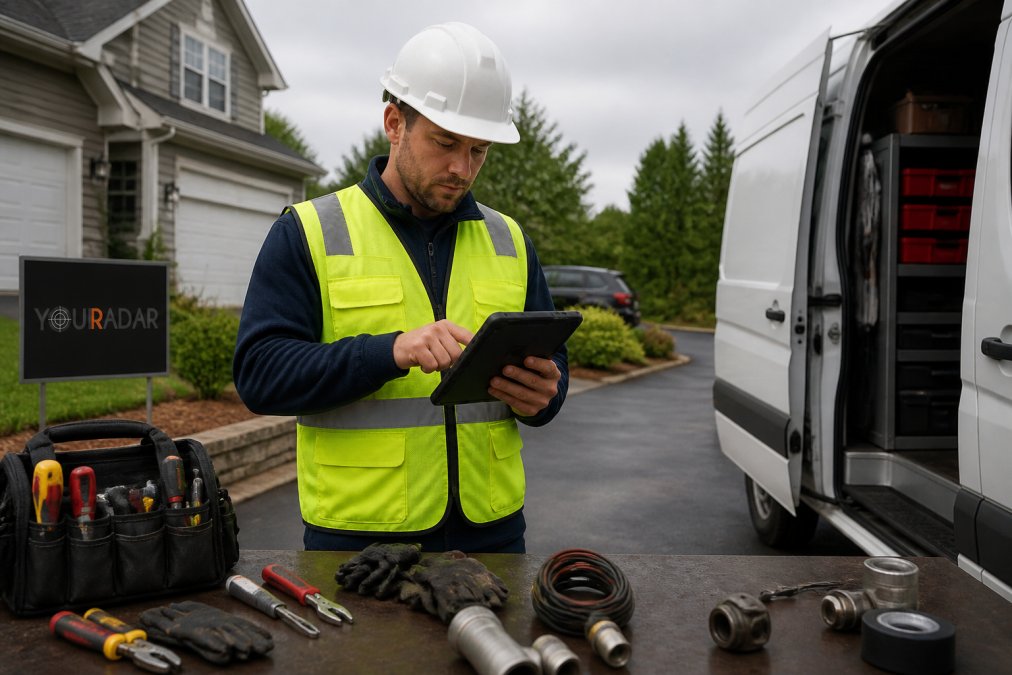
Step 1: Map the Hazards for Each Job Type
- List every job type your crews perform in a typical month.
- For each, write down the three to five hazards that have caused or could cause an incident.
- Group hazards that share controls (for example, all jobs requiring lockout/tagout), and assign one checklist section per group.
This is where site hazard analysis becomes practical: a plumbing crew and an electrical crew don’t share the same lockout/tagout procedure, so they shouldn’t share the same form.
Step 2: Write Questions Workers Can Answer in 30 Seconds
Every question should be answerable with a yes, no, or a number. “Is the work area clear of standing water?” beats “Assess the work environment for potential moisture-related hazards.”
- Use plain language a first-year apprentice understands
- One hazard per question; no compound questions (“Is the ladder secure and the harness inspected?”)
- Add a photo field for anything that fails
Step 3: Set Pass, Fail, and Escalation Rules
A checklist without escalation rules is a survey. Define what happens when a question fails: stop work, notify the supervisor, or log and continue with a control in place. Digital safety forms for field workers can trigger these actions automatically, removing the judgment call from a technician who just wants to finish the job.
| Failure Type | Required Action | Who Is Notified | Time to Resolve |
|---|---|---|---|
| Critical hazard | Stop work immediately | Supervisor + dispatcher | Before work resumes |
| PPE non-compliance | Replace or retrieve gear | Crew lead | Same shift |
| Minor housekeeping | Log and correct | None | Before job close |
| Equipment defect | Tag out, request service | Fleet coordinator | 24-48 hours |
Build escalation rules with your senior technicians, not for them. They know which failures actually stop a job and which ones just need a note. Their input is what makes the rules stick.
Digital Safety Forms for Field Workers: What to Look For
Digital safety forms for field workers replace paper checklists with mobile data collection that syncs to the office. The best options share four traits: offline capability, photo capture, automatic timestamps, and integration with scheduling or billing. But the features that matter most determine whether the form works in a basement mechanical room at 7 a.m. with no signal, and whether a failed item triggers an incident report automatically or sits in a queue until someone remembers to file it.
Offline-First Is a Technical Requirement, Not a Marketing Phrase
Offline-first means the form opens, captures data, and stores locally until the device reconnects, no spinning loaders, no lost entries, automatic sync when the technician walks back into coverage. The implementation details separate usable tools from abandoned ones:
- Local-first data store, the form writes to on-device storage (SQLite, IndexedDB, or a native equivalent) before any network call is attempted. If the app tries to hit a server first, it will hang in dead zones.
- Conflict resolution rules, when two devices edit the same job record offline, the system needs a deterministic merge policy. Last-write-wins is common but dangerous for safety data; field-level merge with timestamps is safer.
- Sync queue visibility, technicians should see how many records are pending sync and get a confirmation when they clear. Silent sync failures are how safety records disappear.
- Battery and storage discipline, a form that drains a phone in two hours or fills storage with uncompressed photos will be deleted by the user. Compress images on-device and cap local retention.
- Graceful degradation, GPS, camera, and signature capture should all work offline. If any require a network call, the form fails in the field.
A checklist that requires connectivity will fail exactly when it’s needed most, basements, mechanical rooms, rural sites, and new construction zones routinely have no signal. This matters for lone worker safety too: a technician working alone in a dead zone still needs a record proving safety protocols were followed. If the app can’t function offline, the record doesn’t exist.
Real-Time Incident Reporting: The Integration Most Guides Skip
Most digital form guides focus on pre-job checks and stop there. The gap is what happens the moment a checklist item fails. In a paper process, a failed item becomes a note, a phone call, or nothing at all. In a well-integrated digital process, a failed critical item should trigger an incident report automatically, pre-populated with the job ID, technician, timestamp, GPS coordinates, failed question, and any photos attached.
That automatic bridge matters for three reasons:
- Regulatory defensibility, under provincial and federal OHS reporting duties, employers must report certain incidents and near-misses within defined timeframes.
What to Weigh Before You Buy
Workplace Safety Inspection Best Practices for Trades Teams
Build an Inspection Cadence by Risk, Not by Calendar
Classify Findings So Corrective Actions Actually Close
| Finding Class | Definition | Required Response | Target Closure |
|---|---|---|---|
| Critical | Imminent risk of serious injury or death | Stop work, isolate area, notify supervisor immediately | Before any work resumes |
| Major | Control failure that could lead to injury | Correct within the shift or reassign the job | Same day |
| Minor | Housekeeping, documentation, or wear items | Log and schedule correction | Within 7 days |
Rotate Inspectors and Separate Finding from Blaming
Close the Loop with Inspection Data
Offline-First Mobile Checklists: The Gap Most Teams Miss
Closing the Loop: Real-Time Reporting and Post-Job Safety Audits
The businesses that get the most from field service safety checklists treat them as a feedback system, not a compliance form. Every completed checklist is data that improves the next one.
Conclusion
Frequently Asked Questions
What should be included in a field service safety checklist?
A practical field service safety checklist covers hazard identification, PPE compliance, equipment integrity, lockout/tagout steps where relevant, emergency contacts, and a sign-off line. Each item should be specific to the job type, not a generic list. For example, an HVAC technician’s checklist should include gas line inspection and electrical panel lockout, while a plumber’s should cover confined space entry and water shutoff verification.
How do digital safety forms for field workers improve compliance?
Digital safety forms for field workers remove the friction that causes paper checklists to get skipped. They load on a phone, work offline in basements or remote sites, and sync when the technician regains signal. Answers trigger automatic alerts, so a failed PPE check reaches the supervisor immediately rather than days later. Timestamped submissions also create an audit trail that supports compliance tracking under provincial OHS regulations.
What are the legal requirements for workplace inspections in Canada?
Workplace inspection requirements fall under provincial and territorial occupational health and safety legislation, not a single federal rule. Most jurisdictions require regular inspections, worker participation in health and safety committees, and written records of hazards found and corrected. Federal workplaces follow the Canada Labour Code. Specific frequency and documentation rules vary by province, so check your provincial OHS regulator’s guidance for the exact obligations that apply to your trade.
How can small trades businesses get field workers to actually use safety checklists?
Start with the checklist itself: if it takes more than two minutes, workers will skip it. Load it on the phone they already carry, keep it job-specific, and make the first question something that matters on that job. Tie completion to the job ticket so it is part of the workflow, not an extra step. Supervisors who review submissions and act on flagged hazards show the team the checklist has consequences, which drives adoption faster than reminders.