Table of Contents
- How Real-Time Job Tracking Transforms Field Service Operations
- How to Track Field Employee Location and Improve Accountability
- Increasing Billable Hours in Field Service Through Automated Timesheets
- Improving Field-to-Office Communication and Customer Transparency
- Reducing Time Theft, Payroll Errors, and Administrative Overhead
- Real-Time Updates Enable Better Resource Allocation and Scheduling
- Data-Driven Decision Making and ROI Measurement
- Making the Transition: Change Management and Team Buy-In
- Frequently Asked Questions
Last Updated: October 3, 2026
How Real-Time Job Tracking Transforms Field Service Operations
Real-time job tracking field service operations have fundamentally changed how trades businesses manage their workforce. What once required constant phone calls and guesswork now happens automatically, technicians clock in at job sites, dispatch teams see their locations instantly, and office staff know exactly where resources are deployed at any given moment.
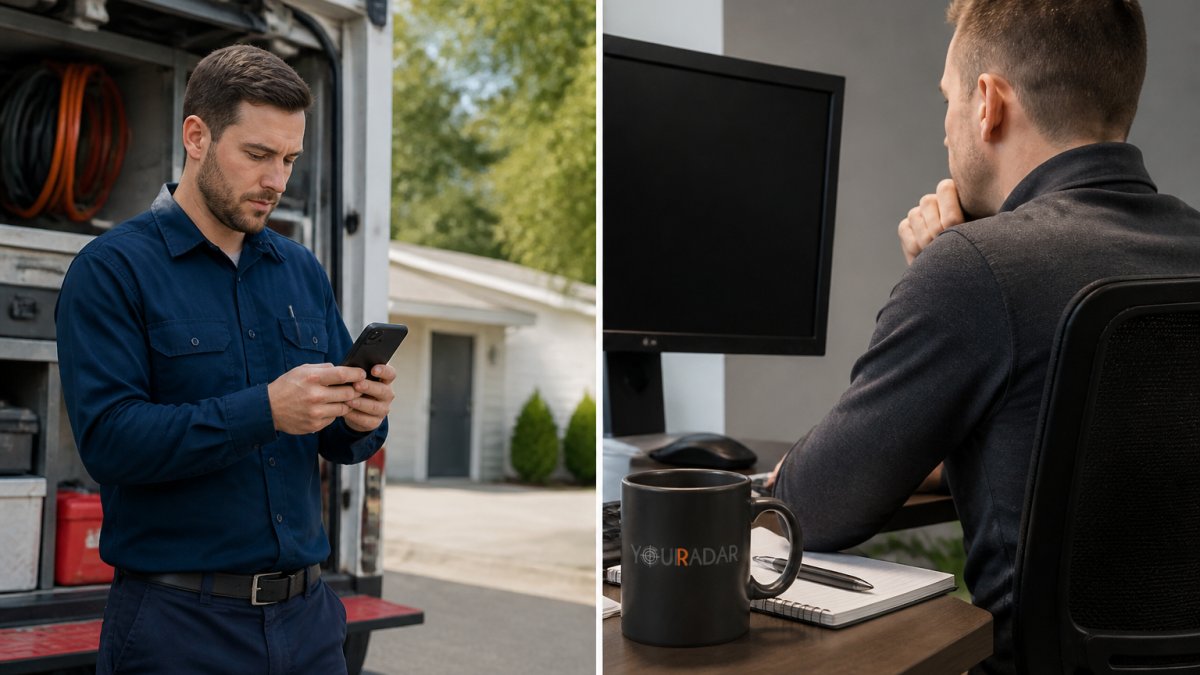
The shift matters because field service businesses operate on thin margins. Every hour a technician spends traveling, every job that gets scheduled inefficiently, and every invoice delayed by missing timesheet data directly impacts profitability. Real-time job tracking eliminates these friction points.
The core benefit is visibility. When you know where your team is, what job they’re on, and how long they’ve been there, you can make decisions in real time instead of reacting to problems after they happen. This transforms how you allocate resources, communicate with customers, and manage payroll.
How to Track Field Employee Location and Improve Accountability
Tracking field employee location starts with GPS-enabled mobile devices that report technician positions to a central dispatch dashboard. The system records when workers arrive at and leave job sites, creating an automatic attendance verification layer that replaces manual timesheets.
Most field service platforms use geofencing, digital boundaries around job addresses that automatically trigger clock-in and clock-out events when technicians enter or exit. This eliminates the temptation to clock in early or stay clocked in after leaving a site. The accountability improves not because you’re being punitive, but because the system removes the opportunity for drift.
Accountability improves further when technicians know their location is tracked. A common mistake is implementing tracking secretly, then revealing it later. Transparency matters. When your team understands that location data helps the dispatcher route them more efficiently and reduces unnecessary travel time, they’re more likely to adopt the system willingly.
The data also protects your business. If a customer disputes whether a technician showed up, you have GPS records and timestamps. If payroll questions arise, you have automatic clock-in verification. This documentation alone saves hours of administrative back-and-forth each month.
Set up geofencing for all your regular service areas in advance. The initial setup takes time, but once configured, it runs automatically. Technicians don’t need to do anything manually, they just arrive at the job site and the system handles the rest.
Increasing Billable Hours in Field Service Through Automated Timesheets
Billable hours are the lifeblood of field service profitability. Every minute a technician spends on administrative work, filling out timesheets, explaining gaps in their schedule, or waiting for payroll to process their hours, is a minute not spent generating revenue.
Automated timesheets connected to GPS tracking eliminate this waste. When a technician arrives at a job site, the system records the time automatically. When they leave, it stops. No manual entry. No forgotten hours. No disputes about when work actually happened.
The efficiency gain compounds across your entire operation. Consider a typical scenario: a dispatcher manually reconciles timesheets at the end of each week, catching discrepancies and following up with technicians.
More importantly, automated timesheets mean invoices go out faster. When timesheet data flows directly into your billing system without manual data entry, invoices are ready within hours of job completion instead of days later. Faster invoicing means faster payment, improving cash flow significantly.
YourRadar’s timesheet automation integrates with existing accounting systems, so data doesn’t need to be re-entered manually. This integration eliminates a major source of billing errors and keeps administrative overhead minimal.
Automated timesheets are one of the highest-ROI improvements you can make in field service operations. The time savings alone typically justify the platform cost, and that’s before you account for faster invoicing and reduced billing disputes.
Improving Field-to-Office Communication and Customer Transparency
Real-time job tracking field service operations depend entirely on communication flowing both directions: from the field to the office, and from the office back to customers.
When a technician is en route to a job, the dispatcher can send them updated information instantly, a customer called with additional work that needs to be done, or a material is on backorder and the appointment needs to shift.
Customer transparency is equally important. When customers can see their technician’s location and estimated arrival time, call volume to your office drops noticeably. Customers stop calling to ask “where is my technician?” because they already know. This reduces interruptions for your dispatch team and improves the customer experience simultaneously.
The transparency also builds trust. Customers see that you’re organized, that your team arrives when promised, and that you’re managing their time professionally. This intangible benefit translates into repeat business and referrals.
Field-to-office communication also means technicians can photo-document work, capture customer signatures, and send updates about job progress without returning to the office. This keeps customers informed and creates a paper trail for quality assurance.
Reducing Time Theft, Payroll Errors, and Administrative Overhead
Time theft in field service is a persistent problem. It ranges from technicians clocking in early before arriving at a job site, to staying clocked in after leaving, to padding hours in areas where no one verifies their presence. Across a team of 10-15 people over a year, these small discrepancies can add up to thousands of dollars.
GPS-verified timesheets eliminate most of this drift. When clock-in and clock-out are tied to physical location, technicians can’t manipulate their hours without physically being at the job site. The system doesn’t judge, it simply records what happened.
Payroll errors also decrease dramatically. Manual timesheet entry is error-prone. Transcription mistakes, misread handwriting, and simple arithmetic errors introduce inaccuracies that require correction and reprocessing. Automated timesheets feed directly into payroll systems, reducing rework.
The administrative overhead savings are substantial. Processing timesheets manually, collecting them, reviewing them, reconciling discrepancies, and entering data into payroll, consumes significant hours each week. Automated systems handle this entirely, freeing your office staff to focus on higher-value work like customer service or job scheduling.
Without automated timesheets, payroll processing errors multiply as your team grows. What’s manageable with 5 technicians becomes chaotic with 15. The administrative burden grows faster than your revenue, squeezing margins. Automation prevents this scaling problem.
Real-Time Updates Enable Better Resource Allocation and Scheduling
Resource allocation in field service is a constant puzzle. You have a limited number of technicians, a queue of jobs, and imperfect information about where people are and how long jobs actually take.
Real-time job tracking field service operations changes this. You can see exactly where each technician is, how long they’ve been at their current job, and when they’ll be available next.
Better scheduling means fewer technicians sitting around waiting for the next appointment, and more continuous work throughout the day. It also means you can take on more jobs with the same team size, or maintain the same workload with fewer people.
Geofencing and location data also reveal patterns. You might discover that jobs in a particular area consistently take longer than your estimates, or that certain technicians are more efficient than others. These insights let you adjust future scheduling to be more realistic.
The system also helps with emergency situations. When a customer calls with an urgent issue, you can instantly see which technician is closest and can respond fastest, rather than calling around trying to figure out who’s nearby.
Data-Driven Decision Making and ROI Measurement
Real-time job tracking generates data continuously, arrival times, departure times, job duration, travel time between sites, and customer satisfaction patterns. This data is only valuable if you actually use it to improve operations.
The best field service platforms surface this data in dashboards that show trends over time. You can see whether your average job duration is increasing or decreasing, whether certain technicians consistently finish faster, and whether particular service areas have longer travel times than others.
This data-driven approach to decision making beats guesswork. Instead of assuming a technician is inefficient, you have actual data showing where the inefficiency lies. Maybe they’re spending too much time traveling because jobs are scheduled inefficiently.
Measuring ROI on a job tracking system is straightforward. Calculate current administrative costs, time spent processing timesheets, handling billing disputes, managing scheduling, and dealing with payroll errors. Compare that to the cost of the platform.
YourRadar’s platform includes reporting tools that help quantify these improvements. You can measure billable hours before and after implementation, track administrative time savings, and monitor invoice processing speed. This transparency helps justify the investment internally and shows your team the tangible benefits they’re delivering.
Making the Transition: Change Management and Team Buy-In
The biggest risk in implementing real-time job tracking field service systems isn’t technical, it’s organizational. Your field team might resist tracking, viewing it as surveillance rather than a tool that makes their job easier.
Change management starts with honest communication. Explain why you’re implementing tracking and what benefits it brings to your team. Faster route optimization means less windshield time. Automated timesheets mean no more paperwork.
Involve your team early. Let your best technician test the system before rolling it out to everyone. Ask for feedback and actually implement suggestions.
Training matters, but keep it simple. Your field staff aren’t IT professionals. They need to know three things: how to clock in, how to receive dispatch updates, and how to submit photos or notes if needed.
Start with a small pilot group. Roll out to 2-3 technicians first, work out problems, and then expand. This reduces the risk of a catastrophic rollout and gives you time to refine your processes.
Schedule a brief training session with your team before going live. Show them the mobile app, walk through a typical day, and answer questions. A 30-minute conversation prevents weeks of confusion and resistance.
The transition period typically takes a few weeks before a team is fully comfortable with the system. During this time, expect some friction and questions. That’s normal. The key is staying committed to the change and supporting the team through the adjustment.
Real-time job tracking field service operations require buy-in from everyone, dispatchers, technicians, and office staff. When implemented thoughtfully, the system pays for itself through reduced administrative overhead and improved efficiency.
Implementing real-time job tracking transforms how field service businesses operate, but only when the entire organization commits to using it effectively. Our customizable platform works with non-tech-savvy field staff, integrates with your existing systems, and includes in-house developer support to ensure successful implementation. Request a Demo to see how real-time tracking can improve your operational efficiency and billing accuracy.
Frequently Asked Questions
How does real-time job tracking improve technician productivity?
Real-time job tracking eliminates guesswork in scheduling and routing. Dispatchers can see exactly where each technician is located, assign jobs based on proximity, and adjust work orders instantly. Technicians spend less time traveling between jobs and more time billable work. Automated timesheets capture clock-in and clock-out automatically based on job site arrival, removing manual entry errors and reducing administrative time in the office.
Does real-time job tracking actually help with compliance and payroll accuracy?
Yes. GPS-verified arrival and departure data creates an auditable record of when technicians were on site, eliminating disputes over hours worked. This prevents time theft and ensures payroll reflects actual work performed. Digital timesheets integrate directly with payroll systems, reducing manual entry errors and the hours spent reconciling timesheets. For field service businesses, this accuracy also supports invoicing, you bill customers for time actually spent on their jobs, not estimated hours.
Will my field team actually use a real-time tracking system, or will it end up unused like other software we’ve tried?
Adoption depends on simplicity and perceived value. Systems designed for non-technical users, with mobile-first interfaces and minimal setup, see higher adoption rates. When technicians understand that tracking reduces their administrative burden (no manual timesheets) and helps the office schedule them efficiently, they’re more likely to engage. Starting with a clear implementation plan, training, and ongoing support from your software provider makes a significant difference. YourRadar’s in-house development team provides that support to ensure your team gets comfortable with the platform.
What should businesses look for in a field service tracking platform?
Prioritize GPS tracking accuracy, geofencing capabilities, offline functionality for areas with poor signal, and seamless integration with your existing accounting or scheduling software. The platform should offer automated timesheets, dispatch mapping, and customer communication tools. Look for vendors with experience in your trade (HVAC, plumbing, electrical) and support available when you need it. A customizable feature set lets you start with what you need now and add capabilities as you grow, rather than paying for features you won’t use.