Table of Contents
- Why Field Employee Location Tracking Matters for Trades Businesses
- Employee GPS Tracking Laws in the US: What You Must Know
- Employee Location Tracking Policy Template: What to Include
- How to Track Field Employee Location: Step-by-Step Setup
- Best Field Employee Tracking Apps: A Practical Comparison
- How to Monitor Remote Field Staff Productivity Beyond Location
- Common Mistakes to Avoid When Tracking Field Employees
- Conclusion
Last Updated: August 10, 2026
Why Field Employee Location Tracking Matters for Trades Businesses
Field employee location tracking uses GPS-enabled mobile apps to monitor technicians during working hours, giving your office team real-time visibility into job progress and workforce movement. For trades businesses running crews across multiple job sites, that visibility stops you from losing billable hours to guesswork.
At YourRadar, we work with HVAC, plumbing, and electrical contractors daily, and the pattern is consistent: the biggest operational bottlenecks are visibility gaps. A dispatcher who can’t see where their crew is right now can’t make smart routing decisions. An owner who can’t verify when technicians arrived and left a job site can’t defend a billing dispute.
The business case for tracking your mobile workforce comes down to three things:
- Accountability: Digital timesheets tied to GPS coordinates eliminate ambiguity around clock-in and clock-out times
- Efficiency: Real-time location data lets dispatchers assign the nearest available technician, cutting drive time and fuel costs
- Billing accuracy: Location history that matches job records gives you defensible documentation when a customer questions an invoice
Geofencing automatically triggers a clock-in when a technician enters a job site boundary, removing human error from time and attendance records. Route optimization becomes possible when you can see all active technicians on a live dashboard simultaneously.
Employee GPS Tracking Laws in the US & Canada: What You Must Know
Employee GPS tracking laws in the US are governed by federal statutes and state-level privacy regulations. Getting this wrong exposes your business to real legal liability. The good news for most trades employers is that tracking company-owned devices during work hours is broadly permissible.
According to the Electronic Communications Privacy Act guidance from the Department of Justice, employers generally have wide latitude to monitor activity on company-owned equipment. That latitude narrows considerably when personal devices are involved.
Company-Owned vs. Personal Devices
On company-owned vehicles and devices, you can implement GPS tracking without employee consent in most states, provided you have a written policy. On personal devices, you typically need explicit written consent before installing any tracking software. Many trades businesses sidestep this entirely by issuing company phones or tablets to field staff, which is the cleanest approach from a compliance standpoint.
Employee Privacy and Consent Requirements
Several states have enacted specific employee monitoring laws that go beyond federal minimums. California, Connecticut, Delaware, and New York all have statutes requiring employers to notify employees of electronic monitoring.
The practical standard for any US trades employer should be:
- Provide written notice before implementing any location tracking
- Specify what data is collected, how long it’s retained, and who can access it
- Confirm that tracking applies only during work hours
- Get signed acknowledgment from each employee
As documented in the National Labor Relations Board’s guidance on workplace monitoring, employers must avoid using surveillance data in ways that could interfere with protected concerted activity.
Employee Location Tracking Policy Template: What to Include
A written policy is the foundation of any compliant tracking program. Without one, you’re exposed legally and creating unnecessary friction with your team.
Your policy should cover:
- Purpose statement: Why you’re tracking location (dispatch efficiency, payroll accuracy, job site verification)
- Scope: Which devices are tracked and which are not
- Hours of tracking: Work hours only, or 24/7 for company assets
- Data retention: How long location records are stored and who can access them
- Employee rights: How employees can request to review their own location data
- Consequences: What happens if an employee disables tracking
- Acknowledgment signature line: Dated signature confirming understanding
Technicians who understand that geofencing automates their clock-in, not spies on their lunch break, are far more likely to engage with the system honestly.
How to Track Field Employee Location: Step-by-Step Setup
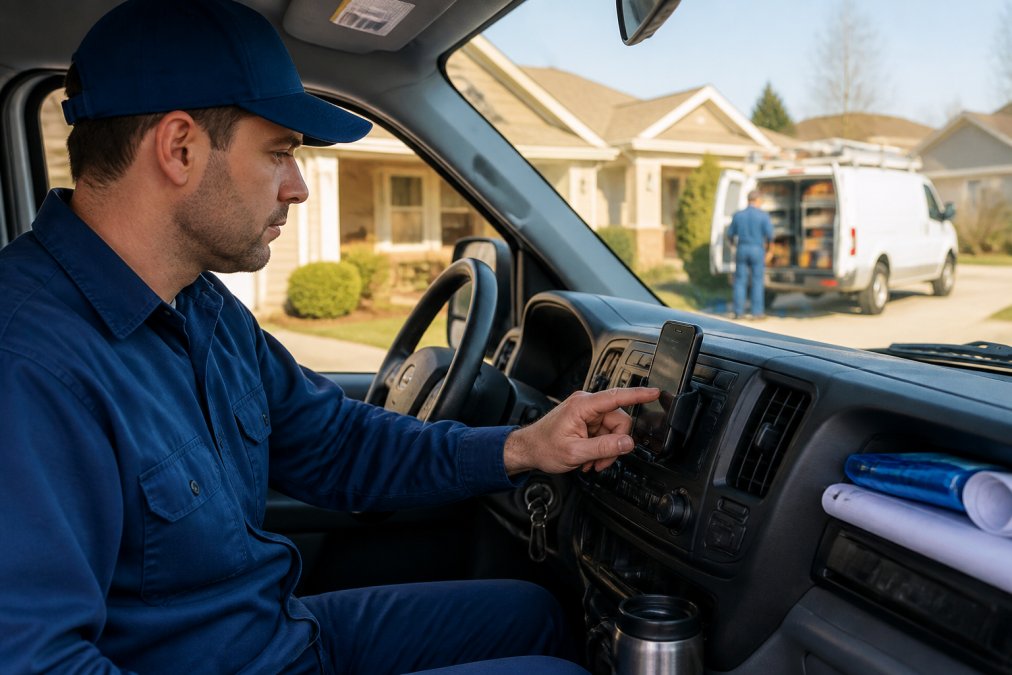
Getting a field tracking system running correctly takes less time than most business owners expect. The technical setup is usually straightforward. The harder work is change management: getting your crew to actually use it.
Step 1: Define What You Need to Track and Why
Before choosing a platform, list your actual operational problems. Do you need to verify job site arrival times for billing disputes? Do your dispatchers need real-time location to reassign jobs mid-day? Are you automating mileage reimbursement calculations? Being specific about your use case upfront prevents paying for features you’ll never use.
Step 2: Choose Your Tracking Method
The three primary approaches for trades businesses are:
|
Method |
Best For |
Key Consideration |
|---|---|---|
|
GPS mobile app (company device) |
Teams of any size |
Cleanest legally; requires device issuance |
|
GPS mobile app (personal device) |
Small teams with BYOD setup |
Requires explicit consent; privacy controls essential |
|
Vehicle GPS tracker |
Fleet management, asset tracking |
Tracks vehicle, not technician; gaps when technician leaves vehicle |
|
Integrated workforce platform |
Businesses wanting location + scheduling + timesheets in one system |
Higher upfront setup; long-term efficiency gains |
For most trades businesses, an integrated workforce management platform that combines real-time location, automated timesheets, and dispatch mapping delivers the best return.
Step 3: Roll Out the App and Train Your Team
A proper rollout includes a team meeting explaining the business reason, a live demo showing how the clock-in/clock-out process works, a written quick-reference guide, and a designated point of contact for technical questions during the first two weeks.
The objection you’ll hear most often is “our guys aren’t tech people.” The solution is choosing a platform with a genuinely simple mobile interface. YourRadar is built specifically for non-tech-savvy field workers, with an interface that prioritizes the three actions technicians need most: clock in, update job status, and clock out.
Step 4: Set Up Geofencing and Job Site Monitoring
Geofencing automatically logs when a technician enters or exits a job site boundary. For trades businesses, geofencing eliminates the most common timesheet problem: technicians forgetting to clock in or out. Define geofence radius based on job site size, configure automatic clock-in triggers vs. reminder notifications, and set up job site monitoring alerts so dispatchers are notified when a technician arrives or departs.
Best Field Employee Tracking Apps: A Practical Comparison
The market for field employee tracking tools ranges from standalone GPS apps to full workforce management platforms. For trades businesses, an integrated platform that connects location data to scheduling, invoicing, and payroll creates compounding efficiency gains.
|
Feature |
Standalone GPS App |
Integrated Workforce Platform |
|---|---|---|
|
Real-time location tracking |
Yes |
Yes |
|
Geofencing and job site monitoring |
Sometimes |
Yes |
|
Automated digital timesheets |
No |
Yes |
|
Payroll integration |
No |
Yes |
|
Dispatch mapping |
No |
Yes |
|
Mileage tracking |
Sometimes |
Yes |
|
Offline tracking capability |
Varies |
Varies |
|
Pricing model |
Per device |
Per user/feature set |
YourRadar sits in the integrated platform category, built specifically for trades businesses. The dispatch mapping feature gives your office team a live dashboard showing every technician’s current location alongside their job queue, so rescheduling takes seconds. Automated timesheets pull directly from GPS data and geofence events, which means invoice processing becomes significantly faster. As one YourRadar customer put it: “The software has improved productivity in that it made the processing of our invoices much easier. It keeps all files in a single place and allows for easier access to the files both in the office and for us in the field, making our billing and auditing process operate much smoother.”
For pricing, visit the YourRadar pricing page to see current plans.
How to Monitor Remote Field Staff Productivity Beyond Location
Location data tells you where your technicians are. It doesn’t tell you how effectively they’re working. Monitoring remote field staff productivity requires layering additional data points on top of GPS coordinates.
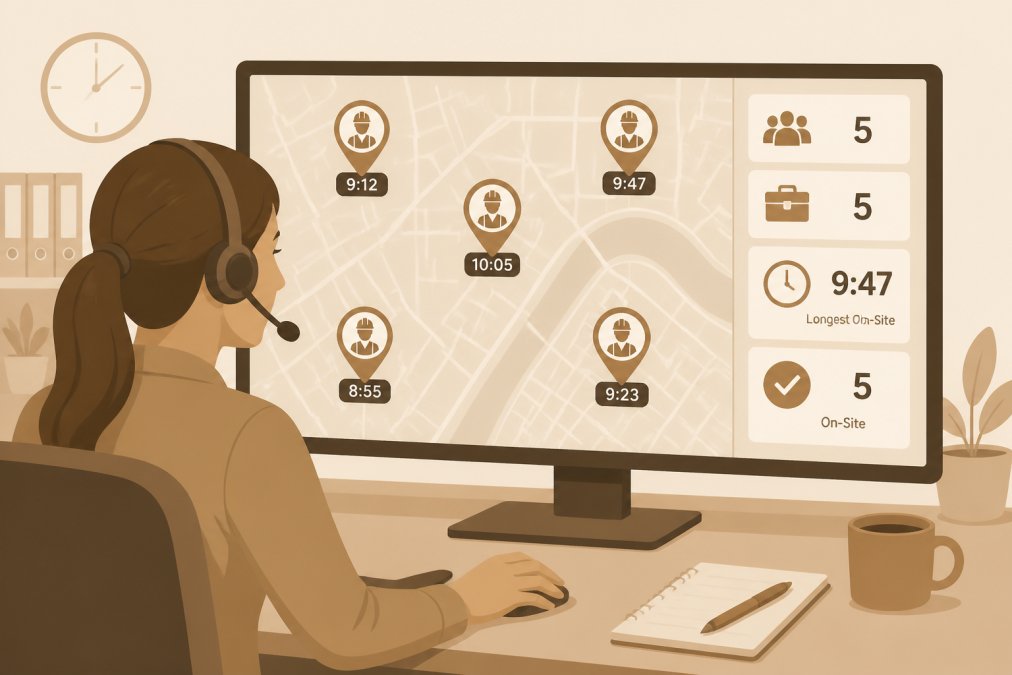
The most useful productivity signals for trades businesses include job completion rate, first-time fix rate, time on site vs. estimated time, and response time from dispatch to arrival. According to the Society for Human Resource Management’s guidance on remote workforce management, productivity monitoring is most effective when employees understand the metrics being tracked and see the data themselves.
Mileage Reimbursement and Expense Tracking
GPS location history makes mileage reimbursement straightforward and accurate. The system calculates actual route distance from GPS data rather than relying on technicians to self-report miles. GPS-generated mileage logs satisfy IRS standard mileage rate guidance for business vehicle use recordkeeping requirements when they capture date, destination, business purpose, and miles driven.
Offline Tracking and Battery Optimization
A tracking system that fails when a technician drives through a dead zone creates gaps in your records. Offline tracking capability, where the app stores location data locally and syncs when connectivity is restored, is essential for trades businesses operating in areas with inconsistent cellular coverage.
Battery consumption is another practical concern. Look for apps that use adaptive location sampling: more frequent pings when the device is moving, less frequent pings when stationary. This extends battery life significantly without meaningful gaps in location accuracy.
Common Mistakes to Avoid When Tracking Field Employees
Most field tracking implementations fail not because of technology, but because of how the system was introduced and managed.
Tracking without a written policy. This creates legal exposure and workforce distrust. Document your policy, have employees sign it, and keep copies.
Choosing a tool that’s too complex for your crew. A platform your technicians won’t use is worse than no platform. Prioritize interface simplicity over feature count.
Tracking location but ignoring the data. GPS data has no value if no one reviews it. Build a weekly review process into your dispatcher’s workflow to identify patterns.
Not accounting for personal time on company devices. If you issue company phones, your policy needs to address what happens outside work hours. Most platforms allow you to pause tracking outside defined work hours.
Skipping the “why” conversation with your team. Be direct: “This automates your timesheets so you stop filling out paper forms at the end of the day.”
Tracking your field employees’ locations is only as valuable as the system you connect it to. A GPS pin on a map doesn’t reduce your administrative workload or improve your billing accuracy on its own. YourRadar integrates real-time location tracking with dispatch mapping, automated timesheets, and customer portals so the data you collect translates directly into operational improvements. Backed by KDI’s 25 years of industry experience, the platform is built for trades businesses that need precision without complexity. Request a demo and see how YourRadar can help you track field employee activity, reduce timesheet errors, and recover billable hours you’re currently losing.
Frequently Asked Questions
Is it legal to track your employees' location in the US?
Yes, tracking field employees is legal in the US, but the rules vary by state. Federal law does not prohibit employer GPS tracking on company-owned devices, but states like California, New York, and Illinois require written notice before monitoring begins. Tracking employees on personal devices without consent carries greater legal risk. The safest approach is a written policy that employees sign before any tracking starts, clearly stating what data is collected, when, and why.
Do I need to notify employees before tracking their location?
In most US states, yes. While federal law does not mandate notification for company-owned devices, several states require explicit written consent before tracking an employee's location, especially on personal devices. Beyond legal requirements, notifying employees before you track field employee location builds trust, reduces pushback, and makes adoption far smoother. A signed acknowledgment form tied to your location tracking policy covers both the legal and operational bases.
What is the best way to track my employees' location in the field?
A GPS-enabled mobile workforce management app is the most practical option for trades businesses. These platforms combine real-time location tracking, digital timesheets, geofencing, and payroll integration in one tool. The best approach pairs the app with a clear written policy and a brief team walkthrough so field staff understand what is tracked and why. For small HVAC, plumbing, or electrical crews, a mobile-first platform designed for non-tech-savvy employees delivers the fastest adoption.
How does GPS tracking affect employee morale and privacy?
Tracking raises morale concerns when it feels punitive or surveillance-focused. The fix is transparency: tell employees exactly what is tracked, limit tracking to work hours only, and frame it around fair pay and job site accountability rather than micromanagement. Workers generally accept location tracking when they understand it protects their mileage reimbursement claims and prevents disputes over hours. Businesses that communicate the 'why' clearly before rollout report significantly less resistance from their teams.