
Last Updated: October 26, 2026
Quick Summary
To optimize service routes for multiple technicians, start with clean customer and technician data, assign calls based on skills and workload, sequence stops by geography and time windows, and use route planning software to test thousands of sequences for efficiency. Monitor key metrics like drive time and calls completed per day, then adjust your approach based on results.
- Gather complete customer addresses, technician certifications, and service time estimates in one centralized system before planning routes.
- Match technicians to jobs based on required certifications, skills, and geographic service zones, not just availability or proximity.
- Group calls by location and honor appointment time windows to reduce drive time and improve on-time performance.
- Route planning software tests millions of sequences and accounts for traffic patterns, job duration, and technician skills automatically.
- Track metrics like average drive time per call, calls completed per day, and on-time performance weekly to measure optimization success.
Table of Contents
- Step 1: Gather and Organize Your Customer and Technician Data
- Step 2: Assess Technician Skills, Certifications, and Job Requirements
- Step 3: How to Assign Service Calls to Technicians Fairly
- Step 4: Field Service Route Planning Best Practices for Stop Sequencing
- Step 5: Using a Multi-Stop Route Planner to Reduce Drive Time
- Step 6: Balance Workload and Manage Time Windows Across Your Team
- Step 7: Monitor, Adjust, and Measure How to Reduce Drive Time for Field Technicians
- Handle Urgent Jobs and Route Changes Without Disrupting Your Schedule
- Frequently Asked Questions
Step 1: Gather and Organize Your Customer and Technician Data
To optimize service routes for multiple technicians, you must start with clean, complete data. Without accurate customer addresses and technician availability, even the best route planner will fail.
Begin by collecting three core data sets. First, gather all customer locations with full addresses, phone numbers, and service history. Second, document each technician’s skills, certifications, and availability windows. Third, record service times for common job types, how long does a standard HVAC inspection take versus a repair?
Many teams store this information across spreadsheets, email threads, and handwritten notes. That fragmentation creates errors. A centralized system keeps everything in one place.
Start by auditing what you have. Ask yourself:
- Are all customer addresses complete and current?
- Do you know which technicians are certified for which jobs?
- Have you recorded how long typical service calls take?
- Is this information stored where your dispatcher can find it quickly?
Once you’ve answered these questions, move the data into a single system. This could be a spreadsheet organized by customer, a database, or workforce management software. The format matters less than consistency. Every address should be formatted the same way. Every technician’s skills should be listed clearly.
Government of Canada’s guidance on data management best practices
Data quality directly impacts route quality. Garbage in, garbage out. Spend time here. Your routes are only as good as the information feeding them.
Step 2: Assess Technician Skills, Certifications, and Job Requirements
Not every technician can do every job. A plumber without gas-fitting certification cannot service a gas line. An electrician without a specific license cannot work on commercial panels. Ignoring these constraints leads to failed appointments and customer frustration.
Document each technician’s qualifications clearly:
- Trade certifications and licenses
- Specialized skills (refrigeration, high-voltage, etc.)
- Equipment they’re trained to use
- Geographic areas they’re authorized to work in
This information shapes which calls each technician can accept. A job requiring a specific certification must go to someone who holds it.
Many small teams keep this knowledge in the dispatcher’s head. That works until the dispatcher is sick or leaves. Write it down. Create a simple table listing each technician and their qualifications.
When you assign service calls to technicians fairly, you’re also respecting their expertise. A technician shouldn’t spend time driving to a job they’re not qualified for. They shouldn’t arrive and discover they need a tool or certification they don’t have.
Professional certification standards for trades in Canada
Use this information later when building routes. The route planner should know which technicians can handle which jobs before suggesting assignments.
Step 3: How to Assign Service Calls to Technicians Fairly
Fair assignment means matching the right technician to the right job based on skill, location, and workload. It’s not about who’s closest or who’s been idle the longest.
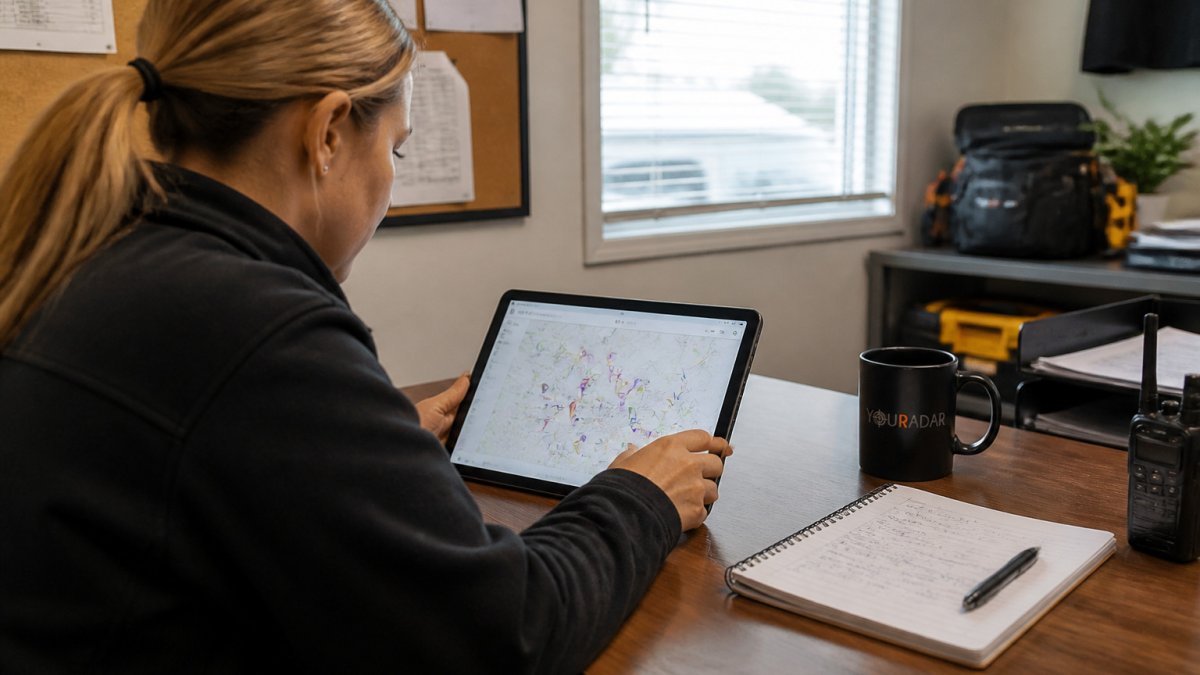
Start with job requirements. Does this call need a specific certification? Route it to someone who has it. Is it in a particular service zone?
Next, balance workload. If one technician has four calls lined up and another has one, the second person gets the next job (assuming they’re qualified).
Consider drive time too.
The fairness principle keeps teams motivated. Technicians notice when assignments are arbitrary. They notice when one person always gets the easy jobs or the short drives. Transparent, skill-based assignment builds trust.
Document your assignment logic. Write down the rules you follow. Share them with your team. When everyone understands how calls get assigned, there’s less friction and more buy-in.
How to Create Efficient Technician Schedules(page:3) provides detailed strategies for the scheduling process that underlies fair call assignment.
Step 4: Field Service Route Planning Best Practices for Stop Sequencing
Stop sequencing is the order in which a technician visits their assigned calls. The right sequence cuts drive time significantly. The wrong sequence wastes hours.
Start with geography. Group calls by location. If three jobs are on the same street, visit them consecutively. Don’t bounce back and forth across town.
Then factor in time windows. Some customers request morning or afternoon appointments. A call with a 9 AM window must come early in the route.
Consider job duration too. A quick 30-minute call can fit between two longer jobs. A 2-hour job needs space in the schedule.
Many teams still plan routes manually. The dispatcher looks at a map, guesses at the best order, and hopes it works.
The practical impact is significant. Better sequencing means fewer miles driven, shorter days, and more calls completed.
Document your sequencing rules. Teach them to your team. When everyone understands why calls are ordered a certain way, they execute routes more smoothly.
Step 5: Using a Multi-Stop Route Planner to Reduce Drive Time
A multi-stop route planner is software designed to optimize service routes by automatically sequencing stops for efficiency. It considers distance, time windows, job duration, traffic, and technician skills all at once.
Manual planning can’t compete. A planner tests millions of possible sequences and picks the best one. It accounts for real traffic patterns, not just straight-line distance. It knows which technicians can do which jobs. It respects appointment windows.
The result is routes that are genuinely optimized, not just guessed at. Drive time drops. Productivity rises. Customers get better service because technicians aren’t rushing between calls.
When choosing a route planner, look for these features:
- Multi-technician support (can plan for your whole team at once)
- Skill-based assignment (knows which technician can do which job)
- Time-window handling (respects customer appointment requests)
- Real-time updates (adjusts routes when jobs are added or canceled)
- Mobile integration (technicians see their route on a phone or tablet)
YourRadar includes dispatch mapping designed for trades businesses.
Not all route planners are built for service work. Some are designed for delivery, where every stop is quick. Service calls vary widely in duration and complexity. Make sure your tool handles that reality.
Step 6: Balance Workload and Manage Time Windows Across Your Team
Workload imbalance kills productivity and morale. One technician swamped, another idle. That’s not sustainable.
Start by tracking hours and calls. How many billable hours does each technician complete per week? How many calls? Over time, you’ll see patterns. Some people consistently finish early.
Use this data to balance assignments. If technician A averages 35 billable hours per week and technician B averages 28, shift some work to B.
Time windows add complexity. A customer who insists on a morning appointment limits your flexibility. Multiple morning-only calls can create bottlenecks. Plan ahead.
Communicate with your team about workload. If someone’s consistently overbooked, talk about it. If someone’s underutilized, find out why. Maybe they’re struggling with certain job types, or maybe the scheduling isn’t fair.
How to Improve Technician Use Rates(page:2) explores how to maximize technician productivity, which directly supports workload balancing.
Fair workload distribution isn’t just about numbers. It’s about respect. Technicians who feel fairly treated stay longer and work harder. They’re more engaged and more careful with customers.
Step 7: Monitor, Adjust, and Measure How to Reduce Drive Time for Field Technicians
What gets measured gets managed. Track key metrics to see if your route optimization is working.
Monitor these numbers:
- Average drive time per call
- Calls completed per technician per day
- On-time performance (percentage of appointments met on schedule)
- Fuel costs per call
- Technician use (billable hours as a percentage of total hours)
Set targets for each metric. If your technicians average 45 minutes of drive time per call, aim to cut that to 35 minutes. If they complete four calls per day on average, target five.
Review performance weekly. Look for trends. Are certain routes consistently slower? Are specific technicians struggling? Are time windows causing problems?
Adjust your approach based on what you learn. If morning appointments are creating chaos, talk to customers about flexibility. If one service zone is inefficient, consider rebalancing territories. If a technician is consistently late, dig into why.
Best practices for field service productivity measurement
How to Reduce Drive Time for Service Technicians(page:1) provides detailed strategies for the core metric discussed in this step.
Real-time visibility helps. If you can see where technicians are and how they’re progressing, you can spot problems early. A technician stuck in traffic can be rerouted.
Track these key metrics to measure whether your route optimization is delivering results.
| Metric | Purpose | Example Target |
|---|---|---|
| Average drive time per call | Measure efficiency of route sequencing | Reduce from 45 to 35 minutes |
| Calls completed per technician per day | Track productivity gains | Increase from 4 to 5 calls |
| On-time performance | Monitor appointment reliability | Percentage of scheduled appointments met |
| Fuel costs per call | Measure cost savings from optimization | Track weekly trends |
| Technician use rate | Ensure billable hours maximize productivity | Billable hours as percentage of total hours |
Handle Urgent Jobs and Route Changes Without Disrupting Your Schedule
Urgent calls happen. A customer’s system fails. A technician finds unexpected damage. A job takes longer than expected.
First, build buffer time into your routes. Don’t schedule back-to-back calls with zero gaps.
Second, create a protocol for urgent calls. Who decides if a call is truly urgent?
Third, use software that supports dynamic rerouting. When something changes, the system recalculates the best route for all affected technicians in seconds.
When urgent jobs are common, consider staffing for it.
Handle Urgent Callouts Efficiently: A Manager’s Guide(page:4) addresses the specific challenge of managing urgent callouts mentioned in this section.
Communicate with customers about changes. If a technician is running 30 minutes late because of an urgent call, let the next customer know.
Service industry standards for appointment reliability
Track how often you’re making route changes. If it’s constant, something’s wrong with your planning or your estimates.
Optimizing service routes for multiple technicians isn’t a one-time project. It’s an ongoing process of planning, measuring, and adjusting.
Frequently Asked Questions
How do you optimize service routes for multiple technicians?
Start by collecting accurate customer addresses and time windows, then assess each technician’s skills and availability. Assign jobs based on proximity, expertise, and workload balance. Use route optimization software to sequence stops by location, then monitor performance daily. The goal is to minimize travel time and distance while meeting customer deadlines and ensuring fair workload distribution across your team.
What factors should you consider when planning routes for field technicians?
Key factors include customer appointment windows and deadlines, technician skills and certifications required for each job, travel time and distance between stops, traffic conditions and road networks, vehicle capacity and fuel efficiency, service time at each location, technician availability and shift length, and workload balance to prevent burnout. Also account for same-day changes, urgent calls, and cancellations. Prioritize on-time performance and customer satisfaction alongside cost control and technician fairness.
How can route optimization reduce technician drive time?
Route optimization software sequences stops geographically to minimize backtracking and detours. It accounts for real-time traffic, starting locations, and job priorities to create the shortest logical path. By grouping nearby jobs together and ordering stops efficiently, technicians spend less time driving and more time billing for service work. Reducing drive time also lowers fuel consumption and vehicle wear, cutting operating costs. Most businesses see 15-25% reductions in total drive time after implementing optimized routing with proper workload balancing.
Can route-planning software handle urgent service calls without disrupting every technician’s route?
Yes, modern route optimization software supports dynamic routing and real-time updates. When an urgent job arrives, the system can reassign it to the nearest available technician with the required skills and available capacity, then automatically resequence that technician’s remaining stops. This minimizes disruption to other routes. The key is having mobile-driven dispatch tools that push updates instantly to field teams and provide clear communication so technicians know their route has changed and why. Proper implementation reduces customer wait times while keeping most routes on track.