Quick Summary
Cloud HVAC dispatching moves scheduling, job assignment, and customer records from a single office computer to a platform every team member can reach from any device. This removes the single point of failure of a dispatcher who is out sick and lets the office see technician locations and job status in real time.
- Cloud dispatch removes the single point of failure when one dispatcher is out sick.
- Dispatchers can see technician locations and job status without phone tag.
- Pick a cutover date and stop updating the old scheduling method on that day.
- Compare total cost of ownership and estimate payback period, not just monthly subscription price.
- Start team rollout with clock-in, job status, and customer notes before adding invoicing.
Table of Contents
- What Cloud-Based HVAC Dispatching Actually Changes
- Real-Time Schedules and Mobile Access for Field Technicians
- Route Optimization and Lower Travel Time
- HVAC Dispatching Software Features to Look For
- HVAC Scheduling Software: Cost, Migration and Change Management
- HVAC Dispatching Tips for Getting Your Team to Use It
- Booking a Demo to Test Cloud Dispatching With Your Crew
- Frequently Asked Questions
What Cloud-Based HVAC Dispatching Actually Changes
Cloud-based HVAC dispatching moves your scheduling, job assignment, and customer records off a single office computer and onto a platform every team member can reach from any device. That shift sounds small. In practice, it changes how work flows from the phone call to the invoice.
Many small HVAC shops still run dispatch from a whiteboard, a spreadsheet, or a desktop program. When that person is out sick, the schedule stalls. Cloud dispatch removes that single point of failure because the schedule lives in one shared system.
The biggest practical change is visibility. A dispatcher can see which technician is closest to an emergency call, who is booked until 3 p.m., and which job is running long, all without a phone tag session.
Cloud access also matters for businesses that grow. Adding a second dispatcher or a new van does not require copying files between computers.
Watch out: Moving from paper or spreadsheets to a new system often creates a gap in the first two weeks, when half the schedule lives in each place. Pick a cutover date and stop updating the old method on that day.
Real-Time Schedules and Mobile Access for Field Technicians
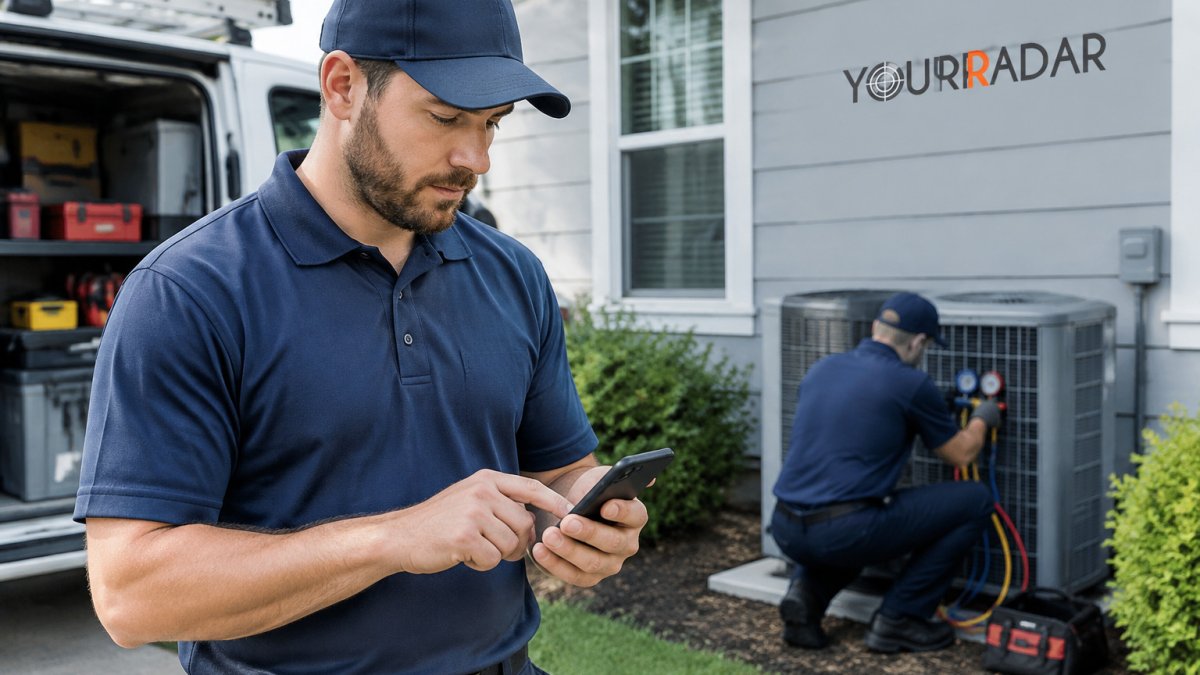
Field technicians need the schedule on their phones, not on a desk they never visit, and cloud hvac dispatching makes that practical for every crew. When a technician can see the next job address, customer notes, and parts list from the driveway, fewer calls go back to the office for basic details.
This is where mobile access earns its keep. That closes the loop between office and field, which is where many small trades firms lose hours each week.
YourRadar is a mobile-driven workforce management platform for trades businesses. Its dispatch mapping gives the office a view of where each crew is, which helps when a same-day emergency call comes in.
Route Optimization and Lower Travel Time
Travel time is one of the largest hidden costs in field service. Every extra mile burns fuel, eats into billable hours, and pushes the next appointment back. Route planning addresses this directly by sequencing jobs so technicians spend less time on the road between stops.
Start by mapping every job for the day alongside technician locations. This step-by-step guide to optimizing field technician routes walks through sequencing jobs in detail. Then group nearby calls and schedule them back to back where customer windows allow.
Measure the change. Track average drive time per technician per day before and after you adjust your routing. Even a modest reduction adds up across a fleet over a year.
HVAC Dispatching Software Features to Look For
Not every dispatch tool fits every shop. Before comparing vendors, use this guide to what to look for in dispatch software to judge each option against your own needs. Before comparing vendors, list the problems you need solved, then check each product against that list.
The features that matter most for small HVAC teams are:
- Dispatch mapping that shows live technician locations and lets you reassign a job by dragging it to the nearest crew
- Mobile job details including addresses, notes, customer history, and the parts list for the call
- Timesheet capture tied to each job, so billing does not depend on memory
- Customer records with service history for repeat calls and warranty work
- Simple setup that office staff and field crews can learn quickly
Beyond the checklist, evaluate the platform on the criteria that separate a tool you keep from one you abandon:
Security and access controls. Ask how any vendor handles role-based permissions, encryption in transit and at rest, and backups. You want to know who inside your own company can see pricing and customer payment data, and what happens if a technician loses a phone. Confirm the vendor’s backup and disaster-recovery arrangements, and get the answers in writing rather than relying on a marketing page.
Data ownership and portability. Your customer list is your business. Confirm you own the data, that you can export it in a usable format, and whether export carries a fee.
Offline access and business continuity. Technicians work in basements, crawlspaces, and rural service areas where signal drops. Ask any vendor what its app can do offline and how it syncs when the connection returns. A platform that goes blank without bars will send technicians back to paper.
Support and onboarding. Ask any vendor how it handles support during the first months, what hours support is staffed, and whether onboarding includes help importing your data. A feature list means little if the team cannot get help when the system misbehaves on a busy Monday.
Watch out: A vendor that cannot clearly explain its data export, backup, and offline behavior before you sign is unlikely to explain them well after you are locked in.
The core features small HVAC teams should check against their own problems are summarised below.
| Feature | What it does | Why it matters |
|---|---|---|
| Dispatch mapping | Shows live technician locations | Reassign jobs to the nearest crew |
| Mobile job details | Addresses, notes, history, parts list | Fewer calls back to the office |
| Timesheet capture | Logs time tied to each job | Billing does not rely on memory |
| Customer records | Service history for repeat and warranty work | Faster repeat and warranty calls |
| Simple setup | Easy for office and field to learn | Quicker adoption by the team |
HVAC Scheduling Software: Cost, Migration and Change Management
Cost is the first question most owners ask, and the honest answer is that a subscription price alone tells you very little. You can compare current HVAC dispatch software options with pricing and features to see how totals stack up.
What to add up on the cloud side:
- Subscription fees, quoted by the vendor, so check current pricing directly
- Implementation and data migration, setup, customer and job-history import, and any configuration of job types, service areas, and pricing
- Training, office and field time, including the productivity dip during the first weeks
- Connectivity, mobile data plans for technicians and a reliable office connection; some shops also budget for signal boosters in poor-coverage service areas
- Integrations, accounting, payroll, and inventory connections, which may carry setup or add-on fees
- Support tier, after-hours and phone support are often priced separately from email-only plans
What to add up on the on-premise side: the server or office PC, operating system and database licenses, backup hardware, IT support time, and the cost of the upgrade cycle every few years. On-premise looks cheaper on the sticker and more expensive once you count the hours someone spends maintaining it.
A practical way to compare is payback period rather than monthly price. Estimate the hours per week your team currently loses to double-bookings, phone tag, and manual timesheet entry, multiply by a loaded labor rate, and see how many months of that recovered time it takes to cover the first-year cloud cost.
Migration is often the harder part. A workable sequence looks like this:
- Clean the data first. Export your customer list and open jobs, then remove duplicates and fix incomplete addresses before import. Bad data imported is bad data multiplied.
- Decide what history to carry. Active customers and open work orders usually matter; ten years of closed invoices often does not. Ask what you will actually look up.
- Set a cutover date and stop updating the old system on that day. Running both systems in parallel for a short window is common, but only if one is clearly the source of truth.
- Train on real jobs. Walk the office through a real day’s schedule and have technicians complete a real work order on their phones before go-live.
- Assign a champion in the office and a lead technician in the field. Adoption stalls when nobody owns it.
Watch out: Ask any vendor, in writing, what happens to your data if you leave, confirm you can export customer records and job history in a usable format, and check whether export carries a fee, before you sign.
Change management is what decides whether the software gets used at all. Route every schedule change through the system for a set period, even when a phone call feels faster, and review usage weekly for the first month. Fix the friction points technicians raise before you expand to invoicing and reporting.
HVAC Dispatching Tips for Getting Your Team to Use It
Technicians who are not comfortable with technology will ignore an app that feels like extra work. These proven steps for getting field techs to use mobile apps can help drive adoption. The fix is to make the app a practical part of the job rather than an additional chore.
Keep the first rollout narrow. Start with clock-in, job status, and customer notes, then add invoicing and reporting once the basics are routine.
A common mistake is letting the office keep using phone calls to update schedules. If dispatch still calls the technician with changes, the app becomes optional. Route all changes through the system for a set period, even when it feels slower at first.
Review usage weekly. Ask technicians what slows them down, and fix those points before expanding the tool to more features.
Booking a Demo to Test Cloud Dispatching With Your Crew
The fastest way to judge a dispatch platform is to test it with your own jobs and your own crew. Request a demo, bring a real day’s schedule, and walk through a rescheduled call from the dispatcher’s screen to the technician’s phone.
To get the most from a demo, prepare a short list of questions about pricing, migration, and support. Ask the vendor to show the mobile view a technician would use in the field, not only the office dashboard. If you are considering a switch, see these Connecteam alternatives for field technicians to compare against your current tool.
To see how YourRadar handles dispatch mapping, mobile job access, and timesheets for your crew, request a demo from YourRadar and test it on a real day’s schedule.
Frequently Asked Questions
What is cloud-based HVAC dispatching?
Cloud-based HVAC dispatching is software that runs on the internet rather than a server in the office. Dispatchers assign jobs, track technician locations and update customer records from any device, and technicians receive their schedules, job details and status updates on a phone or tablet. Because the data sits in one shared system, the office and the field see the same information at the same time, which is the core difference from older paper or desktop-only processes.
Is cloud-based HVAC software suitable for small HVAC businesses?
Yes, and small crews often gain the most. A business with a handful of field technicians can use cloud dispatching to replace whiteboards and phone relays without buying server hardware or hiring an IT person. The main questions for a small shop are whether the technicians will actually use the mobile app and how much the monthly subscription adds to existing scheduling and accounting costs. Testing with a few technicians during a free trial answers both questions before committing.
How does cloud dispatching software help technicians in the field?
Technicians see their assigned jobs, customer addresses, service history and notes on their phones, and they can update job status when they arrive or finish. This removes repeated calls to the office for addresses or job details and reduces paperwork at the end of the day. Captured timesheets and job notes flow back to the office automatically, which helps with billing and audits.
Can cloud-based HVAC dispatching reduce travel time?
It can, mainly through route planning and better job assignment. When dispatchers can see technician locations and upcoming jobs on a map, they can assign the nearest available technician and group jobs in the same area. The savings depend on how dispersed your service area is and how disciplined your dispatch process is, so track fuel use and drive time for a few weeks before and after to measure your own result.