Last Updated: November 19, 2026
Quick Summary
Automated time tracking for plumbing dispatch links the time clock directly to dispatch events, so when a technician taps arrived on a mobile device, job status, labor allocation, and estimated arrival times update together in real time. This closes the gap between recorded time and real time where payroll errors, billing disputes, and missed appointments breed.
- Manual timesheets arrive late, get rounded to the nearest quarter hour, and rarely reflect travel time or job duration precisely.
- Weight mobile usability and job-code discipline above other features, because non-tech-savvy technicians abandon tools that add friction.
- Capture location only at arrival and departure to get an audit trail without turning the job site into surveillance.
- When the clock-out event closes the work order, labor and parts are already attached, so invoice drafts generate from the job record.
- Test emergency callouts, multi-stop jobs, apprentices, and multi-day jobs during a trial before committing to a platform.
Table of Contents
- Why Plumbing Dispatch Breaks When Time Tracking Is Manual
- How Automated Time Tracking Connects to Dispatch Events
- Automated Timesheet Software for Plumbing: What to Evaluate
- Plumbing Dispatch Software With Time Tracking: Comparison Table
- Plumbing Contractor Timesheets: Accuracy, GPS Consent, and Privacy
- Plumbing Dispatch and Invoicing Software: From Job Clock to Invoice
- What Automated Time Tracking Costs and What It Returns
- Request a YourRadar Demo and Test It on One Dispatch Board
- Frequently Asked Questions
Why Plumbing Dispatch Breaks When Time Tracking Is Manual
Manual time tracking is the weak link in most plumbing dispatch workflows.
The pattern is predictable. A dispatcher assigns a service call based on yesterday’s assumptions. The technician arrives, finds the job is bigger than described, and stays twice as long. Nobody updates the board.
Across trades businesses of every size, the schedule is only as accurate as the time data feeding it. Manual timesheets arrive late, get rounded to the nearest quarter hour, and rarely reflect travel time or job duration precisely.
Automated time tracking for plumbing dispatch closes that gap by capturing time at the moment work happens, not hours later. Below, we break down how the connection works and what to evaluate in software.
How Automated Time Tracking Connects to Dispatch Events
Automated time tracking links the time clock directly to dispatch events: a technician taps “arrived” on a mobile device, and the job status, labor allocation, and estimated arrival times update together in real time.
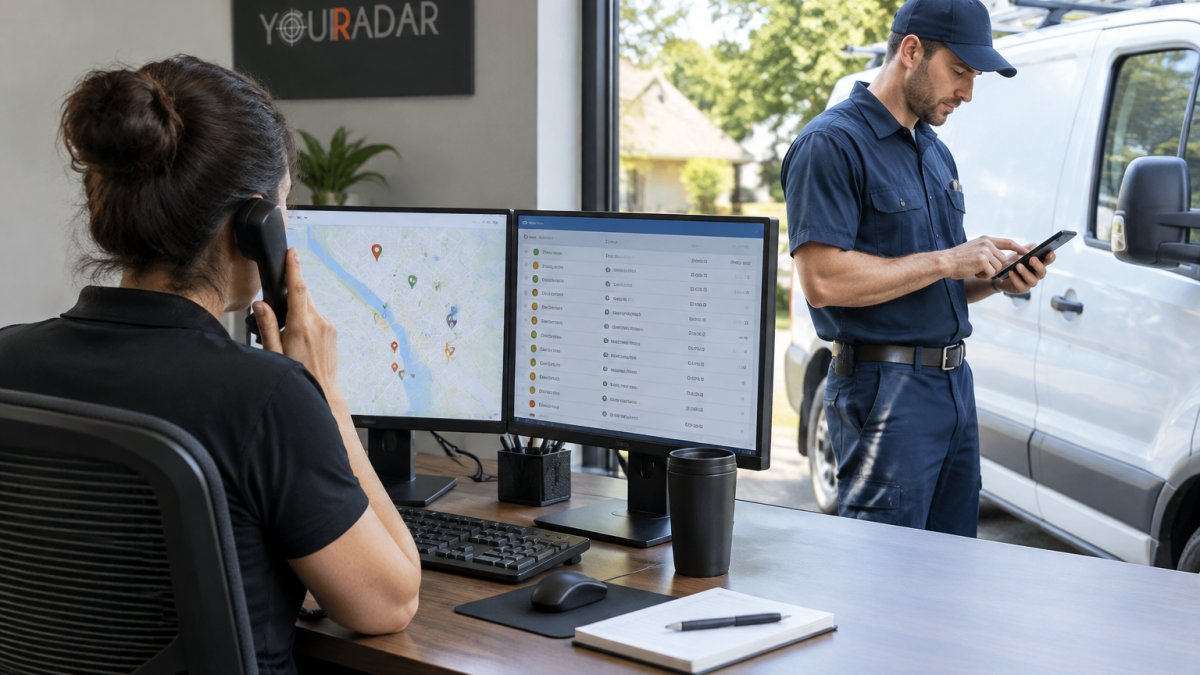
That single connection changes how the whole board behaves. When clock-in and clock-out events feed the dispatch dashboard, a dispatcher sees which technicians are actually on site, which are traveling, and which have finished early.
The practical difference shows up in three places:
- Job duration data accumulates automatically, so future scheduling uses real averages instead of estimates.
- Travel time gets captured separately, which matters when billing and payroll treat drive time differently.
- Status changes push to the customer, so appointment updates and arrival notifications go out without a phone call.
What most guides miss is that the value isn’t the time clock itself. It’s the event stream. Every clock action becomes a dispatch signal, and a dispatch signal becomes an accurate record. That’s the loop manual timesheets can never close.
Automated Timesheet Software for Plumbing: What to Evaluate
The right automated timesheet software for plumbing must do three things well: capture time on a mobile device in the field, tie each entry to a job code, and hand clean data to payroll and invoicing without rekeying.
Weight mobile usability and job-code discipline above other features, because non-tech-savvy technicians will abandon any tool that adds friction.
Feature Checklist for Small and Mid-Sized Teams
Use this checklist when comparing options:
- Mobile time clock
- Automatic job code and work order assignment at clock-in
- GPS location capture with visible consent prompts
- Separate tracking for travel time, on-site time, and job duration
- Time approvals workflow for supervisors
- Export to payroll processing without manual cleanup
- Dispatch scheduling and mapping in the same platform
- Customer notifications tied to job status
- Centralized dashboard with real-time updates
- Data ownership terms stated in writing
If you want a shortlist to compare against these criteria, our team has put together a roundup of the best automated timesheet software for plumbing that covers the trade-specific options worth testing.
Plumbing Dispatch Software With Time Tracking: Comparison Table
Plumbing dispatch software with time tracking varies widely in how deeply the two functions connect. Some tools bolt a timer onto a scheduling app; others treat the clock as a dispatch event from the start. The table below compares platforms on the dimensions that matter most for plumbing teams: how time capture ties to dispatch, mobile usability, payroll integration, and transparency of pricing.
|
Platform |
Time Tracking |
Dispatch Depth |
Payroll & Invoicing Integration |
Pricing Transparency |
Best For |
|---|---|---|---|---|---|
|
YourRadar |
Automated timesheets tied to dispatch events; one-tap arrival; GPS at clock events only |
Dispatch mapping, drag-and-drop scheduling, live technician availability |
Direct export to payroll; invoice drafts generated from job records |
Published plans available on vendor site |
Trades teams of 5-50 wanting one mobile-first system |
|
Kickserv |
Basic time tracking; manual entry or timer; GPS not confirmed |
Basic dispatch and CRM; scheduling board |
Integrates with QuickBooks and other accounting tools |
Plans listed on vendor site; per-user pricing |
Small shops needing simple scheduling and invoicing |
|
Autopilot |
Time tracking not confirmed in available data |
Automated booking and dispatch; customer texts |
Limited public information on payroll integration |
Pricing available on request |
Plumbing businesses automating booking and customer texts |
|
ServiceTitan |
Robust time tracking with job costing; mobile clock-in/out |
Full dispatch, routing, and scheduling suite |
Deep payroll, accounting, and inventory integrations |
Custom quotes only; typically higher cost tier |
Larger plumbing operations with dedicated admin staff |
|
Jobber |
Time tracking with mobile app; GPS tracking available |
Dispatch and scheduling with route optimization |
Integrates with QuickBooks, Xero, and payroll providers |
Published plans with per-user pricing |
Growing teams wanting all-in-one field service management |
Pricing for these platforms should be confirmed directly with each vendor, since plans and inclusions change.
Where YourRadar Fits
YourRadar is built for the exact workflow this article describes: mobile-driven workforce management where the timesheet and the dispatch board share the same data. Automated timesheets feed the dispatch map, so a dispatcher sees live technician availability and the office sees accurate labor allocation without chasing texts.
The platform is backed by KDI’s more than 25 years of industry experience, and the interface is designed for employees who aren’t tech-savvy.
If you want to see plumbing-specific apps that pair dispatch with time tracking, our field service apps for plumbers page covers the options in more detail.
Plumbing Contractor Timesheets: Accuracy, GPS Consent, and Privacy
Plumbing contractor timesheets built on GPS raise a legitimate question: how do you get workforce visibility without overstepping?
Canadian privacy law matters here.
A common mistake is capturing location continuously rather than at clock events. Continuous tracking erodes trust and invites pushback from the crew.
Watch out: if your timesheet app tracks location without a clear consent process, you risk a privacy complaint and a crew that quietly stops using the app.
For a practical walkthrough of how field employee location tracking works and how consent is handled, see our guide on how to track field employee location.
Plumbing Dispatch and Invoicing Software: From Job Clock to Invoice
Plumbing dispatch and invoicing software works best when the invoice is a byproduct of the job record, not a separate task. When the clock-out event closes the work order, labor allocation and parts are already attached, and billing accuracy stops depending on memory.
The old workflow looks like this: technician finishes, writes notes on a paper slip, hands it to the office, and someone reconstructs the job days later. Errors creep in, invoices go out late, and the office spends hours reconciling.
The automated workflow collapses that chain:
- Technician clocks out on the mobile app.
- Work order closes with labor, travel, and job duration recorded.
- Invoice draft generates from the job record.
- Office reviews and sends, with the audit trail attached.
For a deeper look at automating the billing step that follows the job clock, our guide to automating field service billing walks through the full process.
What Automated Time Tracking Costs and What It Returns
Automated time tracking can return value in three places: recovered billable hours, fewer payroll corrections, and faster invoicing. Plumbing businesses should model it against their own crew size and call volume.
Start with billable hours. If rounding and late timesheets cost even a few minutes per technician per day, that adds up across a crew over a year.
Then add administrative time. When timesheets feed payroll directly, the office stops rekeying hours and chasing corrections. Invoicing speeds up because the job record is complete at clock-out.
Pricing depends on team size and the feature set you need, and it changes over time. To judge the cost side against other tools, our comparison of field service software pricing models breaks down how vendors structure plans.
Plumbing-Specific Edge Cases That Affect Cost and ROI
Generic time tracking guides rarely address the situations that make plumbing payroll and billing complicated. These edge cases are where automated time tracking either proves its value or falls short:
- Emergency callouts and after-hours work: A technician called out at 2 a.m. needs to clock in from the road, not from the shop. Automated time tracking with mobile clock-in captures the exact start time and ties it to the emergency work order, so after-hours premiums are calculated correctly without a manual note.
- Multi-stop jobs: A technician may visit three addresses in a morning for diagnostics, parts pickup, and repair. Time tracking that separates travel time between stops from on-site time prevents billing disputes and ensures drive time is allocated to the right job.
- Apprentices and split shifts: When an apprentice works under a journeyman on one job and then moves to another, job codes must follow the person, not the van. Automated job-code assignment at clock-in handles this without supervisor intervention.
- Jobs that span multiple days: A re-pipe or commercial installation may run for days. Time tracking must allow clock-in and clock-out across multiple work orders or phases, with labor allocated to the correct job code each day.
Watch out: if your time tracking system can’t handle these edge cases without manual overrides, the administrative savings evaporate and technicians revert to paper. Test these scenarios during a trial before committing to a platform.
For a plumbing business with tight margins, those compounding effects matter more than the per-user fee.
Request a YourRadar Demo and Test It on One Dispatch Board
The only way to know whether automated time tracking fits your plumbing operation is to run it on a real dispatch board with your own crew. Reading feature lists won’t tell you whether your technicians will actually tap the clock.
Pick one board, one week, and one team. Watch whether clock events match the schedule and whether the dispatcher trusts the live view.
YourRadar gives you automated timesheets tied to dispatch mapping, customer portals for operational transparency, and a mobile interface built for employees who aren’t tech-savvy.
Get started with YourRadar and see what your dispatch board looks like when the time data is finally accurate.
Frequently Asked Questions
What is automated time tracking for plumbing dispatch?
It links a technician’s clock-in and clock-out to the dispatch event that triggered the visit, so travel time, on-site time, and job duration are captured without a paper timesheet. The dispatcher assigns a work order, the technician taps once on a phone, and the system stamps the job code. YourRadar offers dispatch mapping as part of its platform. That record then feeds payroll and invoicing without a second data entry step.
Can plumbing dispatch software create timesheets automatically?
Yes, when the software ties the time clock to job codes and work orders rather than to a standalone punch clock. Each service call, appointment, and travel segment becomes a line on the timesheet, with time approvals routed to a supervisor before payroll processing. The practical test is whether the timesheet shows job duration and labor allocation per work order. If it only shows hours per employee, the dispatcher still has to reconcile the day by hand.
How can automated time tracking reduce payroll errors for plumbing businesses?
Most payroll errors start with a gap between what the field did and what the office recorded: a missed lunch, an untracked travel segment, or a job code written on the wrong line. YourRadar customers describe easier invoice processing and smoother billing and auditing because files sit in a single location.
What should plumbers check before trusting GPS-based time tracking?
Check consent and data ownership first. Ask where the data is stored, who can export it, and whether location history is visible to the whole office or only to dispatch and payroll roles. YourRadar’s in-house development team can provide technical support, so ask them to explain what the platform records before rollout.