Table of Contents
- Establish a Clear Urgent Callout Policy
- Implement Field Service Dispatch Software for Real-Time Response
- How to Track Field Employee Location and Reassign Work
- Reduce Callouts Through Preventive Scheduling and Team Support
Last Updated: August 26, 2026
Establish a Clear Urgent Callout Policy
An urgent callout policy is a documented set of rules defining how your team responds when staff members need to miss scheduled shifts on short notice. Without one, you’re left improvising during the exact moment you can’t afford confusion.
The policy should specify response times, consequences for chronic absenteeism, and which roles have coverage flexibility. Include escalation steps: first callout gets documented, third callout in 30 days triggers a conversation, fifth triggers formal disciplinary action (shrm.org).
Document your callout policy in writing and distribute it during onboarding. Staff who understand expectations upfront are less likely to trigger them unexpectedly. Review it annually and adjust based on what you’ve observed.
Implement Field Service Dispatch Software for Real-Time Response
When a callout happens, your dispatcher needs to know immediately who’s available, where they are, and how quickly they can reach the next job. Field service dispatch software eliminates phone-tag delays that turn a single absence into cascading delays.
The right platform shows real-time location data, job assignments, and availability status in one view. YourRadar’s dispatch mapping feature lets dispatchers see field positions instantly and reassign jobs without leaving the office. Look for software that integrates automated notifications, when a callout comes in, the system should alert available staff immediately rather than waiting for manual contact.
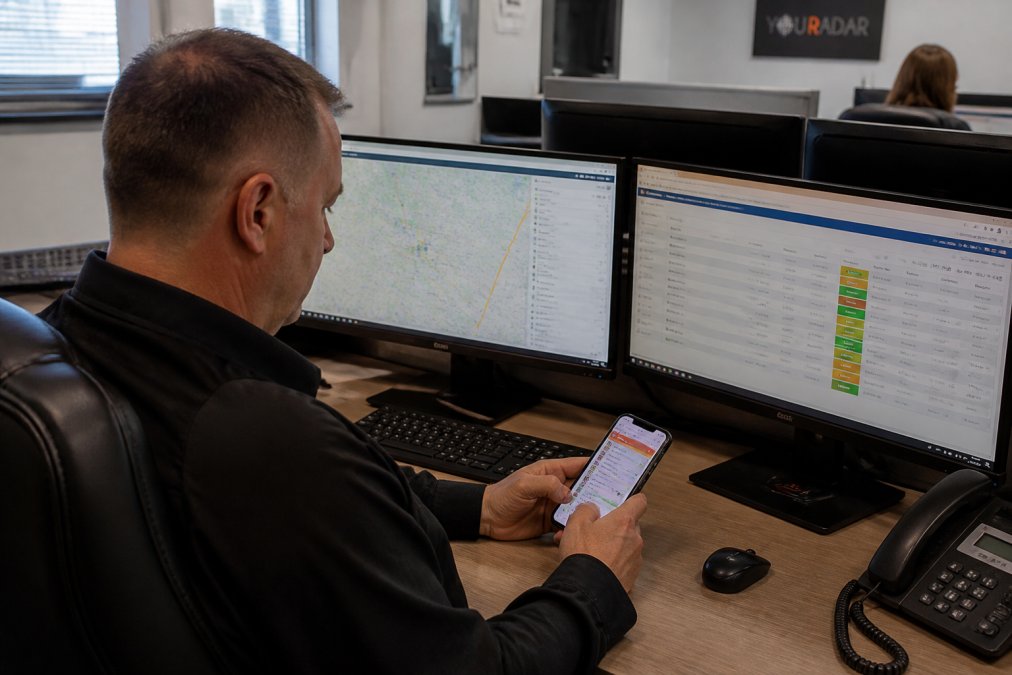
Avoid systems that require manual status updates. Real-time location tracking should happen automatically via the mobile app, with no extra steps required.
How to Track Field Employee Location and Reassign Work
Tracking field employee location serves two purposes: it lets you respond faster to callouts, and it eliminates time-tracking disputes. Most field service platforms use GPS tracking embedded in the mobile app, giving dispatchers a live map showing who’s closest to the next urgent job (bls.gov).
When a callout happens, your dispatcher can view all available technicians and their locations, identify who’s closest to the urgent job, send the new assignment directly to their phone, and receive confirmation when they accept or arrive.

Reduce Callouts Through Preventive Scheduling and Team Support
The best way to handle urgent callouts is to prevent them in the first place. Most callouts cluster around certain days, times, or individuals. Chronic absenteeism often signals burnout, scheduling conflicts, or personal crises rather than laziness (peer-reviewed research).
Implement flexible scheduling where possible. If your business allows shift swapping or compressed schedules, staff feel more control over their time. Cross-training staff ensures that when someone calls out, others can step in without knowledge gaps. Incentivize good attendance without being heavy-handed, staff with zero callouts in a month get priority for preferred shifts or a small bonus often works better than punishment.
The real solution to urgent callouts isn’t better reaction systems, it’s reducing callouts altogether through scheduling flexibility, adequate staffing, and genuine support for your team’s wellbeing.
Urgent callouts will happen. The question is whether you’re prepared to respond in minutes or hours. A clear policy, real-time visibility into your field team, and preventive strategies form the foundation of a resilient operation. YourRadar’s dispatch mapping and mobile workforce management tools help you handle urgent callouts efficiently by giving your dispatcher instant access to location data and automated reassignment capabilities. Request a demo to see how your team could respond faster when it matters most.
Frequently Asked Questions
Q: How do you handle last-minute employee callouts without disrupting service?
A: A clear urgent callout policy combined with real-time communication tools is essential. When an employee calls out, immediately notify your dispatcher or use automated alerts through field service dispatch software. Have a pre-established on-call rotation or cross-trained staff ready to step in. Document the callout and reason, then reassign jobs to available technicians using location tracking. Communication with customers about delays prevents frustration and maintains trust.
Q: What should an urgent callout policy template include?
A: Your urgent callout policy template should specify notification deadlines (e.g., at least 2 hours before shift start), who to contact first, documentation requirements, and consequences for chronic absenteeism. Include guidance on acceptable reasons, how last-minute coverage will be handled, and disciplinary steps for repeated violations. Address shift swapping procedures and clarify whether employees can use personal time or unpaid leave. Ensure the policy complies with employment standards in your region and is communicated clearly to all staff.
Q: How can field service dispatch software improve response times for urgent callouts?
A: Field service dispatch software automates job reassignment and real-time communication. When a technician calls out, the system instantly alerts available staff, shows their current location, and recommends the nearest qualified person for the job. This eliminates manual phone calls and delays. Automated notifications reduce confusion, and mobile-driven platforms let technicians accept or decline jobs immediately. Tracking field employee location ensures you always know who is closest to urgent jobs, cutting response times and reducing productivity loss from operational gaps.
This article was written using GrandRanker