Table of Contents
- Quick Comparison: Best Mobile Workforce Apps for Contractors
- 1. YourRadar: Dispatch Mapping Built for Trades Teams
- 2. Workyard: GPS Time Tracking With Crew Dispatching
- 3. Connecteam: All-in-One Communication and Dispatch
- 4. Tenna: Equipment and Labor Management for Larger Firms
- 5. Buildertrend: Project Management With Dispatch Tools
- 6. FieldEdge: Trade-Specific Dispatch for HVAC and Plumbing
- 7. Contractor Foreman: Estimating and Dispatch in One App
- What to Look For in Mobile Workforce Apps
- How to Choose the Right Dispatching Tool
- Frequently Asked Questions
Last Updated: September 12, 2026
Quick Comparison: Best Mobile Workforce Apps for Contractors
Most crews run on group texts and a whiteboard, until you’re juggling 12 jobs across three towns and a tech calls in sick at 6 a.m. The best mobile workforce apps for general contractors put scheduling, GPS tracking, and job documentation in one place your field staff will actually open.
This guide from YourRadar breaks down seven platforms built for trades teams, what each does well, where it falls short, and which fits your operation.
Quick Picks:
- Best Overall: YourRadar, customizable dispatch mapping and automated timesheets built for trades teams
- Best for GPS Time Tracking: Workyard, precise labor costing for construction crews
- Best Free Option: Connecteam, strong communication tools with a free tier for small teams
|
App |
Starting Price |
Free Tier |
Best For |
Standout Feature |
|---|---|---|---|---|
|
YourRadar |
See pricing page |
No |
Trades teams scaling up |
Dispatch mapping with automated timesheets |
|
Workyard |
$13/user/month + $50 base |
No |
Small-mid construction |
GPS labor costing |
|
Connecteam |
Contact for pricing |
Yes |
Team communication |
In-app chat and digital forms |
|
Tenna |
Contact for pricing |
No |
Larger firms |
Equipment and asset tracking |
|
Buildertrend |
Contact for pricing |
No |
Residential GCs |
Client portal and daily logs |
|
FieldEdge |
Contact for pricing |
No |
HVAC and plumbing |
QuickBooks integration |
|
Contractor Foreman |
Contact for pricing |
No |
Multi-project GCs |
Estimating and bid management |
1. YourRadar: Dispatch Mapping Built for Trades Teams
YourRadar is a mobile-driven workforce management platform for trades businesses that want to scale without adding admin headcount. It’s our top pick because dispatch mapping and timesheet processing are the core of the product.
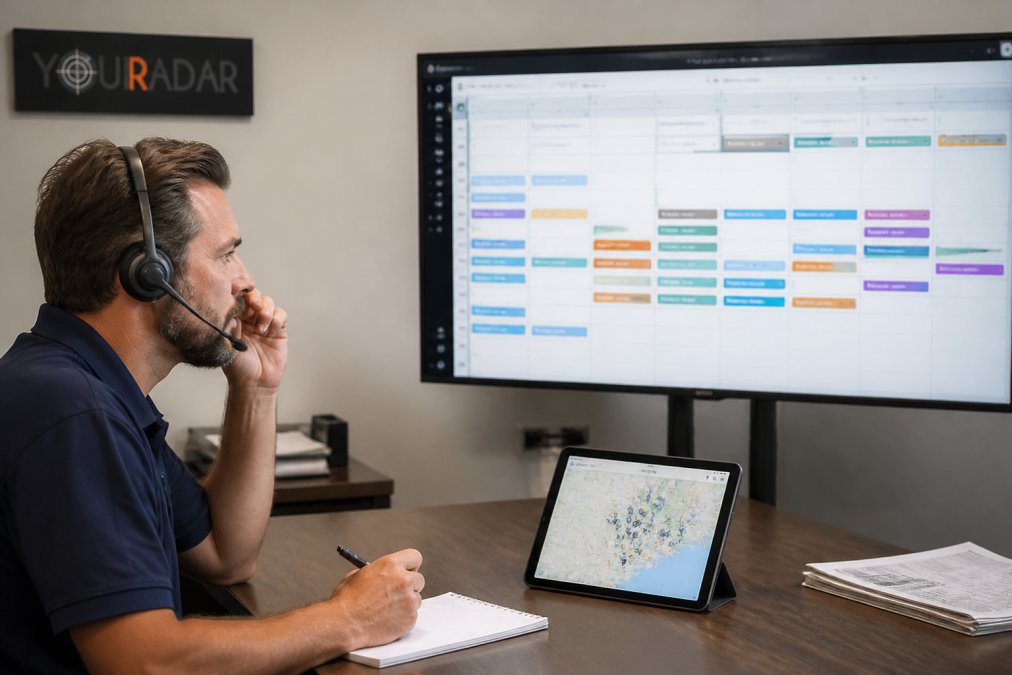
Dispatch mapping gives dispatchers real-time visibility into where every crew is and what they’re working on. Automated timesheets feed directly into billing, cutting hours of manual reconciliation weekly, and the interface suits employees who aren’t tech people.
What separates YourRadar from generic field service tools: it’s backed by KDI’s 25 years of industry experience, and an in-house development team handles support, customization, and AI and BI features that surface operational insight.
One honest limitation: because the feature set is customizable, setup requires a conversation about what your business actually needs, a feature for teams with specific workflows, less convenient for someone wanting plug-and-play.
Pricing: Available on the YourRadar pricing page, with a free demo before committing.
2. Workyard: GPS Time Tracking With Crew Dispatching
Workyard leads with GPS-based time tracking. If labor costing accuracy is your biggest pain point, it tracks crew locations precisely enough to defend your invoices.
The mobile app handles scheduling and dispatch alongside the time clock, and integrates with major payroll and accounting software. Small to mid-sized construction contractors are the sweet spot.
The catch is pricing: $13 per user per month plus a $50 base fee, which adds up fast for very small teams, a three-person crew pays the base fee regardless of usage.
3. Connecteam: All-in-One Communication and Dispatch
Connecteam wins on team communication. If your crews ignore every app you’ve tried, Connecteam’s mobile-first design and in-app chat give you the best shot at adoption.
Features include a real-time GPS time clock with geofencing, shift scheduling and dispatch with push notifications, and customizable digital checklists. The free tier makes it accessible for contractors testing digital dispatch for the first time.
Where it gets expensive: costs climb as your team grows, and trades-specific tools like deep job costing aren’t as developed as dedicated construction platforms.
4. Tenna: Equipment and Labor Management for Larger Firms
Tenna targets construction firms managing heavy equipment alongside labor. Its GPS asset tracking and inventory management go deeper than most competitors, and dispatch is built around construction workflows rather than generic field service.
Larger firms with complex resource allocation needs benefit most. Smaller teams will find the learning curve steep and the feature depth unnecessary.
5. Buildertrend: Project Management With Dispatch Tools
Buildertrend is the industry standard for residential construction project management, with dispatch tools inside a broader scheduling and daily log system. The client portal keeps homeowners informed without phone calls.
Established residential GCs get the most value. The high cost of entry makes it a poor fit for startups or service-only businesses that don’t need full project management.
6. FieldEdge: Trade-Specific Dispatch for HVAC and Plumbing
FieldEdge is built for HVAC, plumbing, and electrical contractors, and its dispatch board with real-time technician tracking reflects that specialization. Customer history and service agreement management are strong, and QuickBooks integration handles accounting.
The setup process is complex, the tradeoff for depth. Service trades that commit to the configuration get a system tuned to how they actually work.
7. Contractor Foreman: Estimating and Dispatch in One App
Contractor Foreman bundles time tracking with GPS, scheduling and dispatch, document management, and estimating with bid management. General contractors managing multiple project types get a lot of capability in one app.
The interface can feel cluttered because of how much is packed in. Teams wanting a focused dispatch tool may find it overwhelming.
What to Look For in Mobile Workforce Apps
The best mobile workforce apps share four traits: offline functionality, hardware compatibility, a realistic implementation timeline, and a migration path from your spreadsheets.
Offline functionality matters more than most buyers realize. Crews work in basements, rural sites, and buildings with dead zones. An app that requires constant connectivity fails exactly when your tech needs it. Test this before you commit.
Hardware compatibility is the second filter: does the app work on the phones your crew already carries, and does it support tablets or rugged devices you might add later?
Data migration from legacy spreadsheets is where implementations stall. Don’t assume job history, client lists, and pricing data import cleanly, most platforms require manual mapping.
Implementation timeline varies widely: simple dispatch tools go live in days, while full field service platforms with accounting integration take weeks, plus training time.
|
Priority |
What to Check |
Why It Matters |
|---|---|---|
|
Offline use |
Does it work without signal? |
Crews work in dead zones |
|
Hardware |
Phones, tablets, rugged devices |
Avoid forcing new device purchases |
|
Migration |
Can it import your spreadsheets? |
Prevents parallel systems |
|
Timeline |
Days or weeks to launch? |
Affects cash flow and adoption |
|
Support |
In-house team or outsourced? |
Determines how fast issues get fixed |
How to Choose the Right Dispatching Tool
Choosing a dispatching tool comes down to matching the platform’s strengths to your biggest operational bottleneck. Most buyers start with a feature checklist and end up with software nobody uses. Better: diagnose the bottleneck first, then score candidates against it.
Step 1: Name the bottleneck
Pick the one problem that costs you the most money or time right now. Common patterns:
- Inaccurate labor hours. If you can’t defend your invoices when a client questions hours, prioritize GPS time tracking with geofencing and payroll integration.
- Dispatcher as single point of failure. If the whole operation stops when one person is out, look for dispatch mapping that gives the office shared visibility into crew locations and job status.
- Field staff won’t adopt software. If your crew ignores every app you’ve tried, weight the interface, offline capability, and training support heavily.
- Job documentation gaps. If you’re losing money on change orders or warranty disputes, prioritize photo capture, digital forms, and timestamped job logs.
- Equipment and inventory blind spots. If tools go missing or crews double-book shared equipment, prioritize asset tracking with GPS.
Write the bottleneck down in one sentence. Every candidate gets scored against that sentence, not a generic feature list.
Step 2: Score candidates on a weighted matrix
Build a simple scoring sheet: weight each criterion by how much it affects your bottleneck, then score each platform from 1 to 5. A worked example for a mid-sized electrical contractor whose bottleneck is labor-hour accuracy:
|
Criterion |
Weight |
Why It Matters Here |
|---|---|---|
|
GPS time tracking accuracy |
30% |
Directly addresses the bottleneck |
|
Payroll and accounting integration |
20% |
Removes re-entry and reconciliation |
|
Offline capture and sync |
15% |
Crews work in buildings with no signal |
|
Dispatch mapping |
15% |
Dispatcher needs shared visibility |
|
Hardware compatibility |
10% |
Crews carry mixed Android and iOS devices |
|
Implementation timeline |
10% |
Can’t afford weeks of downtime |
Score each platform, multiply by weight, and total. The exercise forces you to confront trade-offs instead of chasing the longest feature list.
Step 3: Plan the transition from spreadsheets
This is the step most contractors underestimate. If you’re running dispatch on a spreadsheet, a whiteboard, or group texts, the migration is not a single import, it’s a workflow change.
A practical sequence:
- Freeze the spreadsheet. Pick a cutover date and stop adding new jobs to the old system. Running both in parallel is the most common cause of failed rollouts.
- Clean the data before you import. Remove duplicate client records, close out stale jobs, and standardize column headers. Importing a messy spreadsheet just moves the mess.
- Map fields on paper first. List every column in your spreadsheet and the corresponding field in the new system. Flag anything that doesn’t have a home, that’s your manual work.
- Import in stages. Clients first, then active jobs, then historical data if the platform supports it. Test with a small batch before committing the full dataset.
- Run a two-week pilot with one crew. Pick your most skeptical technician, not your most enthusiastic one. If the app survives that test, it’ll survive the rest of the team.
- Retire the spreadsheet. Once the pilot crew is fully live, set a date to stop using the old system entirely. Keep a read-only archive for reference.
Step 4: Evaluate total cost against recovered billable hours
Sticker price is a poor comparison metric. Two platforms at the same per-user cost can have very different payback periods depending on how much admin time they eliminate.
Estimate the hours your office spends on scheduling, timesheet reconciliation, and invoice preparation, then estimate how many the platform removes. Multiply recovered hours by your loaded labor rate, that’s the real budget you’re comparing against, not the subscription fee.
For a broader look at how field service management software pricing works across the category, evaluating total cost against billable hours recovered, not sticker price alone, is recommended.
Step 5: Check the exit path
Before you sign, ask two questions: How do I export my data if I leave? And what’s the notice period on the contract? A platform that holds your job history hostage is a platform you can’t leave, which changes the negotiation dynamic entirely.
Frequently Asked Questions
What are the essential features to look for in contractor dispatch software?
Prioritize real-time GPS tracking, drag-and-drop scheduling, mobile accessibility for field crews, and offline functionality for job sites with poor signal. Look for integration with your existing accounting and payroll systems, digital forms for documentation, and a client portal for updates. A dispatch board that shows crew locations and job status at a glance saves hours of phone calls each week.
How do mobile workforce apps improve billable hours for general contractors?
Mobile apps reduce the time between job completion and invoicing by capturing hours, photos, and materials on site. Automated timesheets eliminate manual entry errors, and dispatch mapping cuts travel time between jobs. When technicians submit digital forms and invoices from the field, your office can bill the same day instead of waiting for paper timesheets at week’s end.
Can dispatch software integrate with existing accounting and payroll systems?
Most established platforms offer integrations with common accounting software. Workyard and FieldEdge both connect with major payroll and accounting tools. Before committing, confirm the specific integration you need is supported and ask whether it is native or requires a third-party connector. Data synchronization between field time tracking and payroll automation removes duplicate entry and reduces pay disputes.
What is the difference between basic project management apps and full-suite dispatch software?
Basic project management apps handle tasks, files, and schedules but lack real-time crew tracking, automated routing, or job costing. Full-suite dispatch software adds a live dispatch board, GPS fleet monitoring, work order management, and integration with billing. If you manage multiple crews across job sites daily, full-suite tools prevent the scheduling gaps and communication delays that basic apps cannot address.
How does real-time GPS tracking in dispatch apps benefit field crews?
Real-time GPS tracking lets dispatchers assign the nearest available technician, cutting response times and fuel costs. Crew tracking also improves safety by confirming technician locations during emergencies. For payroll, GPS-verified time stamps reduce disputes about hours worked. Field crews benefit from automated routing that sends them to the next job without waiting for a phone call.