Table of Contents
- Why HVAC Equipment Accessibility Matters for Your Business
- Step 1: Audit Your Current HVAC System Layout and Access Routes
- Step 2: Understand HVAC Maintenance Access Requirements and Building Codes
- Step 3: Create an HVAC Service Call Preparation Checklist
- Step 4: Address Hard-to-Reach HVAC Equipment Challenges
- Step 5: Use HVAC Technician Dispatch Software to Simplify Planning
- Step 6: Develop a Preventive Access and Maintenance Plan
- Frequently Asked Questions
Last Updated: October 20, 2026
Why HVAC Equipment Accessibility Matters for Your Business
Poor HVAC equipment accessibility creates hidden costs. Technicians spend extra hours locating equipment, navigating obstacles, and waiting for access. This inefficiency directly impacts your bottom line.
The real problem runs deeper. When your team can’t reach equipment easily, preventive maintenance gets skipped. Equipment fails unexpectedly, leading to costly emergency repairs and potential business disruptions.
This is where HVAC equipment accessibility becomes a strategic issue, not just a facility detail. Proactive management of access routes can prevent downtime and extend equipment life.
The teams that manage equipment accessibility best share one trait: they treat access planning as part of their core operation, integrating it into their service workflows.
Step 1: Audit Your Current HVAC System Layout and Access Routes
Start by mapping what you actually have. Most businesses don’t have a clear picture of their HVAC system layout. Equipment often sits in attics, mechanical rooms, rooftops, and crawl spaces, with access routes frequently blocked by storage, ductwork, or structural elements.
An audit takes a few hours but can save weeks of frustration and lost productivity later. It’s a foundational step for any effective maintenance strategy.
Document equipment locations and physical barriers
Walk through your building with a notebook or mobile device. Record where each piece of HVAC equipment is located:
- Furnace or boiler location: Note if it’s in a basement, mechanical room, attic, or utility closet.
- Air handler unit location: Identify if it’s in a confined space or easily accessible.
- Condenser unit location: Specify if it’s on the rooftop, ground level, or in a side yard.
- Ductwork routing: Note where ducts run and what they pass through.
As you document, note physical barriers:
- Stored items blocking access
- Tight doorways or stairwells
- Low ceilings or overhead obstructions
- Locked doors or security gates
- Narrow hallways or passages
Take photos of tight spaces. These become invaluable reference materials for your technicians and help identify where access problems exist before a service call arrives.
Identify maintenance access requirements
Different HVAC equipment needs different kinds of access. A rooftop condenser requires clear space around it for cleaning and coil maintenance. A furnace in a basement needs sufficient room to work in front of the unit.
Document what each piece of equipment requires:
- Clearance space: How much room technicians need to work safely and efficiently.
- Tools and parts: What size equipment or replacement parts need to fit through access routes.
- Service panels: Whether panels open freely or are obstructed.
- Electrical access: Where disconnect switches are located and if they are easily reachable.
- Drainage: How condensate lines route and whether they are accessible for cleaning.
This information becomes the baseline for your accessibility plan, clearly showing where your system works well and where problems need addressing.
Step 2: Understand HVAC Maintenance Access Requirements and Building Codes
Building codes and industry standards set minimum requirements for HVAC equipment accessibility. These rules exist for safety and function. Understanding them helps you identify gaps in your current setup and plan necessary improvements.
Working clearance standards and regulations
Working clearance is the space a technician needs to safely service equipment. The National Fire Code of Canada and provincial building codes define these requirements. These codes ensure that technicians have adequate space to perform maintenance without undue risk of injury.
For HVAC equipment, typical clearance needs include:
- Front access: A minimum of 0.6 meters (approximately 24 inches) of clear space in front of equipment for filter changes and panel access.
- Side access: A minimum of 0.3 meters (approximately 12 inches) on sides where service panels or connections exist.
- Top access: Sufficient height above equipment to remove panels and components without difficulty.
- Egress: A safe path to enter and exit the space without crawling over equipment or obstacles.
These are minimums. Tight clearance makes work slower and increases injury risk. Equipment in confined spaces often requires extra time and careful planning to ensure safety.
Equipment spacing and service panel accessibility
Proper equipment spacing prevents airflow problems and allows technicians to reach necessary connections. Service panels need to open fully without obstruction to facilitate maintenance.
Check these elements:
- Condenser spacing: Outdoor units need clear space on all sides for optimal airflow and cleaning.
- Air handler clearance: Units require room for filter access and component replacement.
- Ductwork separation: Ducts should not be stacked directly against other equipment, impeding access.
- Electrical disconnects: Switches must be visible and reachable without moving other items.
- Condensate drains: Lines must be accessible for cleaning and maintenance to prevent blockages.
Many buildings have equipment crammed into tight spaces to save square footage. This creates accessibility problems that compound over time. As equipment ages, service becomes more frequent and more difficult, increasing operational costs.
Step 3: Create an HVAC Service Call Preparation Checklist
Preparation before a technician arrives cuts service time and improves outcomes. A simple checklist ensures nothing gets missed and your team knows what to expect, leading to more efficient service delivery. Use the YourRadar Pre-Job Checklist before you start.
Pre-visit information gathering
Before scheduling a service call, gather key information:
- Equipment model and serial numbers: Helps technicians order correct parts and understand system specifications.
- Last service date: Provides insight into maintenance history and potential recurring issues.
- Current symptoms: Clearly explains what the customer or your team has noticed regarding equipment performance.
- Access requirements: Alerts technicians to tight spaces, locked doors, or specific entry procedures.
- Customer availability: Ensures someone is present to provide access and answer questions.
This information flows to your technician before arrival. They come prepared with the right tools and parts, making the call faster and smoother.
Equipment-specific preparation tasks
Different equipment needs different preparation. A furnace service requires different setup than a rooftop condenser visit. Tailoring preparation to the specific equipment type maximizes efficiency.
For furnace or air handler service:
- Clear the area around the unit of stored items.
- Ensure the basement or mechanical room is accessible.
- Confirm the filter location and size.
- Have the thermostat accessible for testing.
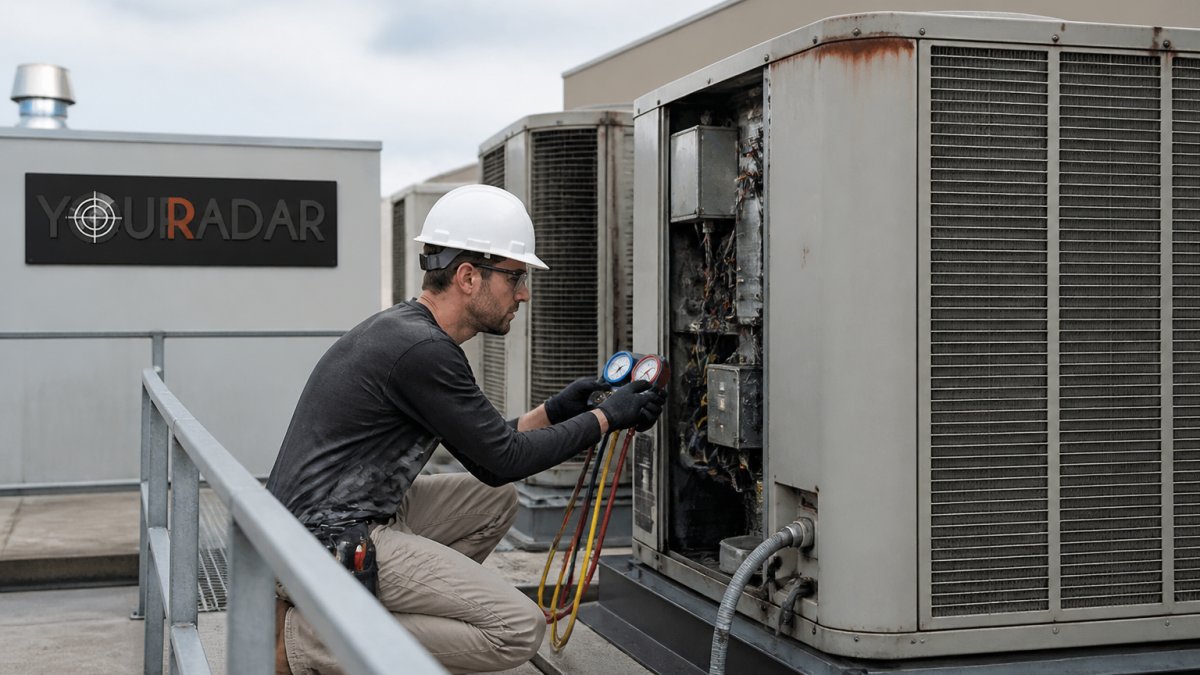
For rooftop or outdoor condenser service:
- Confirm rooftop access and safety procedures.
- Clear vegetation or debris around the unit.
- Note any obstacles on the roof.
- Verify the technician can safely move around the equipment.
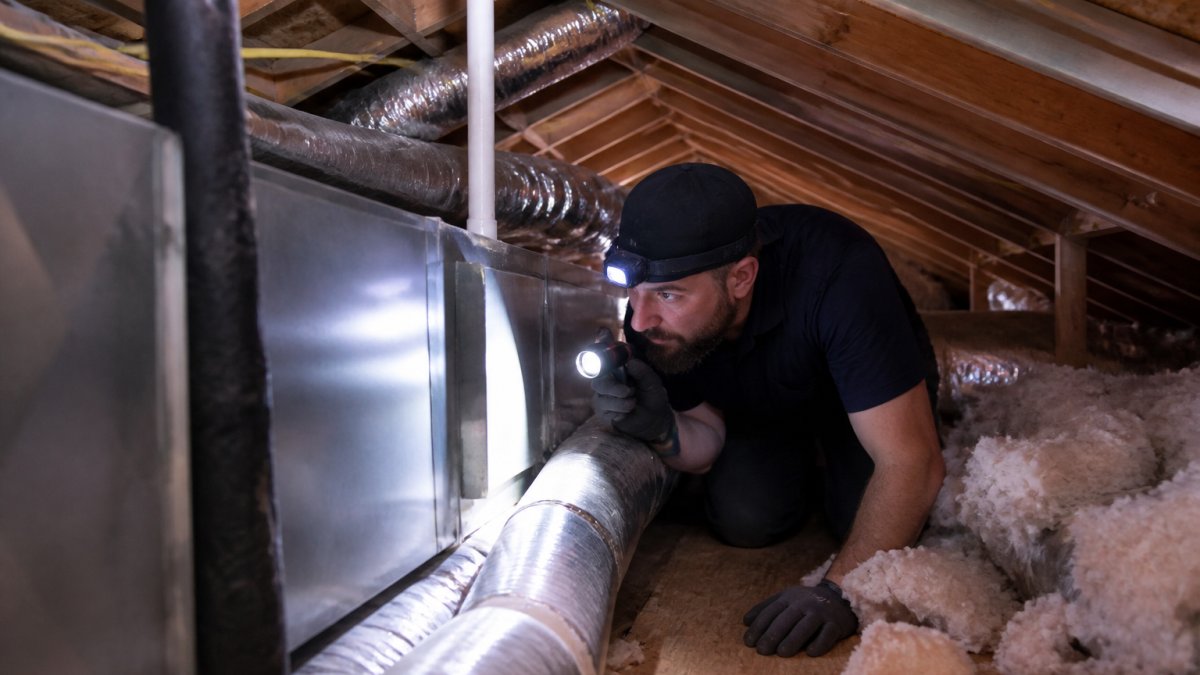
For attic equipment:
- Confirm attic access is safe and clear.
- Note any low ceilings or structural obstacles.
- Ensure adequate lighting or provide a work light.
- Clear the path to the equipment.
A checklist prevents last-minute surprises. Your technician knows what to expect and can plan their work accordingly, reducing on-site delays.
Step 4: Address Hard-to-Reach HVAC Equipment Challenges
Some buildings have equipment in genuinely difficult locations. Tight attics, cramped mechanical rooms, and rooftop units in confined spaces create real access problems. Understanding these challenges helps you plan effective solutions.
Common accessibility barriers in different building types
Different building types create distinct access problems. Recognizing these patterns helps in anticipating and mitigating issues.
Older buildings often have equipment in basements or utility closets designed before modern HVAC systems existed, leading to cramped conditions.
Residential attics typically have low ceilings and limited headroom, forcing technicians to work in awkward positions.
Commercial buildings frequently stack equipment in mechanical rooms to maximize rentable space. Multiple systems share confined areas, increasing complexity.
Rooftop installations create weather exposure and fall hazards. Equipment may be situated in tight corners or surrounded by other building systems, complicating access.
Solutions for obstructed or confined equipment
When access is genuinely constrained, viable solutions exist to improve maintainability.
Relocating equipment is the ideal solution for persistent access issues but is often costly and disruptive.
Installing access panels in attics or crawl spaces creates dedicated routes to equipment, simplifying future maintenance.
Improving lighting in confined spaces reduces work time and enhances safety for technicians.
Documenting access procedures for difficult locations helps ensure every technician, regardless of experience, can approach the task safely and efficiently.
A common mistake is ignoring access problems until equipment fails. This reactive approach leads to extended downtime and higher repair costs.
Step 5: Use HVAC Technician Dispatch Software to Simplify Planning
Dispatch software captures access information and shares it with your team. It becomes the central repository where access constraints, equipment details, and service history are managed, providing a single source of truth.
Capturing access constraints in job notes
When you document access challenges, that information needs to reach your technician before they arrive. Dispatch software stores these crucial details in job notes, ensuring no critical information is lost.
YourRadar’s dispatch mapping and job notes feature lets you record:
- Specific access barriers and how to navigate them.
- Equipment locations and the best routes to reach them.
- Special instructions for confined spaces or unique entry requirements.
- Photos of tight access points to provide visual context.
- Time estimates for difficult access to improve scheduling accuracy.
Technicians see these notes on their mobile device before they pull up to the job. They know what to expect, arrive with the right tools, and understand why a call might take longer than a standard service.
Improving field-to-office communication
Access challenges often create unexpected situations during service calls. A technician might discover equipment is harder to reach than anticipated, requiring a part they didn’t bring or needing to reschedule due to the extended job duration.
Good dispatch software creates a communication loop that addresses these issues proactively:
- Technicians can note access problems in real time via their mobile devices.
- The office receives the update instantly and can adjust scheduling accordingly.
- Follow-up calls are prepared with better, more accurate information.
- Your team learns from each service experience, refining future planning.
This feedback loop improves planning accuracy. Over time, your estimates become more precise, your scheduling more realistic, and your technicians spend less time dealing with unexpected delays.
Step 6: Develop a Preventive Access and Maintenance Plan
Access planning isn’t a one-time task. Equipment ages, buildings change, and access routes can shift as businesses grow and reorganize. A preventive plan keeps your system serviceable over time, ensuring ongoing operational efficiency.
Scheduling around access windows
Some locations present seasonal access challenges. Rooftop units may be inaccessible in winter due to snow or ice. Basement equipment might be blocked when seasonal items are stored. Attic access could be limited when insulation work is happening.
Plan your maintenance around these windows:
- Schedule rooftop service in fall before inclement weather deteriorates.
- Plan basement work before seasonal storage arrives.
- Book attic service when other building work isn’t actively occurring.
- Coordinate with building operations to confirm access availability and avoid conflicts.
By working with your building’s schedule, you avoid conflicts and ensure technicians can work safely and efficiently.
Planning for equipment replacement and retrofitting
Equipment eventually fails and requires replacement. When this occurs, the replacement process itself can become an access challenge.
Plan for replacement now to avoid future complications:
- Document current equipment dimensions and weight.
- Note whether replacement units will fit through existing access routes.
- Identify if ductwork or structural changes will be needed for installation.
- Plan for temporary equipment if replacement requires significant downtime.
- Budget for any access improvements that equipment replacement necessitates.
This proactive planning prevents emergency scrambles when equipment fails. Your team knows the options available, and you can order equipment that is compatible with your space and access points.
Managing HVAC equipment accessibility keeps your service operation running smoothly and efficiently.
The challenge is that access problems often remain hidden until they cause significant delays. By then, you’re already behind schedule and facing increased costs.
Frequently Asked Questions
How do you service HVAC equipment that is difficult to access?
Start by gathering detailed site information before the service call: building layout, equipment location, nearby obstacles, and any safety hazards. Ensure your technician has the right tools and enough workspace. For hard-to-reach equipment, plan longer service windows and consider whether equipment can be partially isolated without affecting building operations. Document access challenges in your dispatch software so future technicians are prepared. If accessibility is severely limited, discuss equipment relocation or retrofit options with the building owner during the planning phase.
What information should a technician collect before an HVAC service visit?
Create a service call preparation checklist that includes: equipment model and age, last maintenance date, current performance issues, building floor plan or equipment location map, access restrictions or locked areas, nearby electrical or plumbing hazards, and any previous access difficulties. Include photos of the mechanical room or rooftop if available. Capture this information in your dispatch software so technicians can review it before arriving on site. This preparation reduces surprises and improves first-call resolution rates.
What are the main building code requirements for HVAC equipment access?
HVAC equipment must meet working clearance requirements set out in the National Building Code of Canada and local electrical codes. Typically, equipment needs at least 0.75 meters of clear space on the service side for inspection and maintenance. Mechanical rooms must have adequate door width and headroom for equipment entry and removal. Rooftop units require safe access via stairs or ladders and fall protection. Service panels must be accessible without moving other equipment. Always verify local regulations in your jurisdiction, as some provinces and municipalities have additional requirements beyond the National Building Code.
How can dispatch software help manage HVAC equipment accessibility challenges?
HVAC technician dispatch software allows you to document access constraints, equipment layouts, and special preparation requirements in job notes that travel with every service call. Dispatchers can flag difficult-to-reach equipment before assigning jobs, ensuring technicians arrive prepared with the right tools and time allocation. Mobile access to this information in the field reduces delays and rework. The software also creates a historical record of access issues, helping you identify patterns and plan long-term solutions like equipment relocation or system redesign.