
Last Updated: November 23, 2026
Quick Summary
Data migration is the process of extracting records from a source system, transforming them to fit a target system’s structure, and validating that nothing was lost or corrupted along the way. Good practice means profiling source data first, mapping every field, cleansing duplicates, testing in a sandbox, and validating with real business scenarios rather than row counts alone.
- Profile your source data before you touch it, counting records and flagging blanks and duplicates.
- Merge duplicate customers, sites, and equipment records before export, not after import.
- Run the full test load in a sandbox and reconcile customer count, open jobs, and outstanding invoices.
- Keep the old system read-only rather than switched off for at least one full billing cycle.
- Define pass/fail thresholds in writing before validation begins, not after the first failure.
Table of Contents
- Why Data Migration Sinks Trades Software Rollouts
- What Business Software Data Migration Best Practices Actually Look Like
- A Data Migration Checklist for Small Business Teams
- Minimizing Operational Downtime During Software Transition
- Building Your Data Migration Project Plan Template
- Data Validation Techniques After Migration
- Two Angles Most Migration Guides Skip
- Planning Your Migration to YourRadar
- Frequently Asked Questions
Why Data Migration Sinks Trades Software Rollouts
Most trades software rollouts fail not because the new platform is bad, but because the data that made the old system useful never arrives intact.
The stakes are concrete. Mismatched addresses send techs to the wrong site; broken invoice line items produce disputes instead of revenue.
If you’re unsure whether your current setup has genuinely run out of road, review the signs your business has outgrown current management software before committing to a migration at all.
What Business Software Data Migration Best Practices Actually Look Like
Good migration practice comes down to five habits, not five tools: profile your source data before you touch it, map every field to a destination, cleanse duplicates and dead records, run the migration in a test environment first, and validate with real business scenarios rather than row counts alone.
The Government of Canada’s guidance on protecting personal information is worth reading before you move customer records, because privacy obligations follow the data into the new system.
Here’s the framework we’d use on any trades rollout, in order:
- Profile the source system: count records, list fields, flag blanks and duplicates.
- Map each source field to a target field and document the rule for anything transformed.
- Cleanse before you move: merge duplicates, archive inactive customers, fix malformed addresses.
- Test the full load in a sandbox and reconcile totals against the old system.
- Cut over with a rollback plan and a freeze on data entry during the final sync.
Big Bang vs. Phased vs. Trickle: Choosing a Migration Strategy
|
Strategy |
How it works |
Best for |
Main risk |
|---|---|---|---|
|
Big bang |
Everything moves in one cutover window |
Small datasets, simple schemas |
No partial rollback if validation fails |
|
Phased |
Modules move in sequence over weeks |
Multi-department rollouts |
Temporary dual-system confusion |
|
Trickle |
Records sync gradually, old system runs in parallel |
Shops that cannot pause operations |
Longer cleanup and reconciliation period |
For most shops with a handful of field crews, a phased approach is often a practical choice: move customers and job history first, then invoicing, then scheduling templates. Each phase gets its own validation window, so a problem in one area doesn’t contaminate the rest.
A Data Migration Checklist for Small Business Teams
Small teams benefit from a migration checklist that fits on one page rather than a lengthy methodology. The essentials: inventory your data sources, assign one owner, freeze new data entry during cutover, back up everything, and reconcile three reports before you trust the new system. The checklist below follows the order the work actually happens, because most migration failures come from doing a later step before an earlier one is finished.
Phase 1: Before you commit
- List every source: scheduling tool, accounting file, spreadsheets, paper job cards, email threads, and any standalone dispatch or inventory app nobody mentioned
- Confirm which historical records actually need to move, often 12-24 months of job history is enough; older records can be archived
- Identify records with legal retention requirements (financial records, signed work orders, safety documentation) and confirm they will be preserved in full
Phase 2: Prepare the data
- Export a full backup of the old system and store it offline, in a location the migration owner controls
- Profile each source: record counts, field lists, blank rates, duplicate rates
- Document field mappings and transformation rules in one shared document
Phase 3: Test and cut over
- Run a full test load in a sandbox and reconcile customer count, open jobs, and outstanding invoices
- Run the business-scenario tests from your validation protocol with the people who will use the system daily
- Set a data freeze window and tell the whole team in advance, with exact start and end times
Phase 4: After go-live
- Reconcile the first live billing cycle against the old system’s output before closing the books
- Collect issues from each role, dispatcher, techs, office, in the first two weeks and triage weekly
- Confirm access permissions in the new system match who should see what
Trades-specific edge cases worth checking
- Shared customer records. A property management company may appear as one customer with dozens of sites; confirm the site hierarchy survives the move.
- Equipment history. Service history tied to a specific unit (a boiler, a panel, a compressor) needs to follow the equipment record, not just the customer.
- Technician attribution. Historical jobs should retain the tech who performed them, even if that tech has left, or productivity reporting will misattribute past work.
If your crew is small and budget-conscious, our guide to affordable digital transformation for small crews covers how to sequence this without pulling techs off billable work.
Minimizing Operational Downtime During Software Transition
Downtime during a software transition is mostly a scheduling problem, not a technical one.
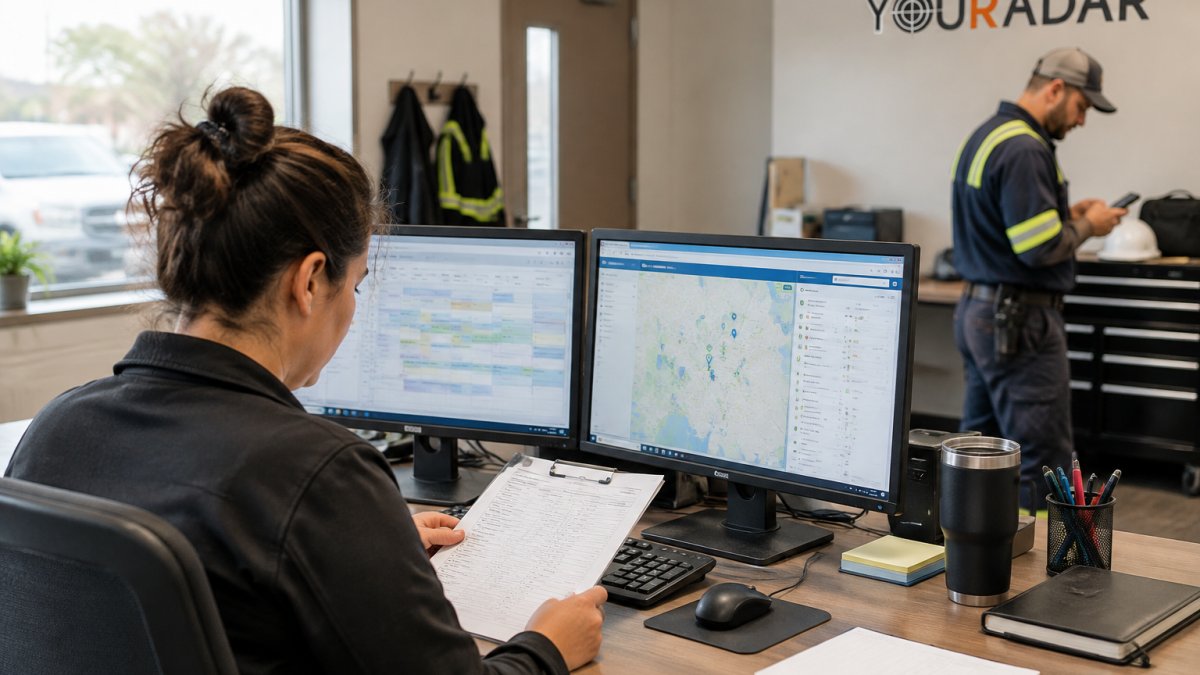
The trap most shops fall into is announcing a “go-live date” and treating it as a hard wall.
Three practical levers for minimizing operational downtime during software transition:
- Freeze, don’t stop. Lock new data entry in the old system for the final sync window, but keep it visible for reference.
- Migrate in waves. Customers and sites first, then jobs, then financials.
- Keep a parallel week. Run both systems for one billing cycle so you can compare outputs before decommissioning anything.
Building Your Data Migration Project Plan Template
A data migration project plan template needs six sections: scope, data inventory, mapping rules, timeline with owners, validation criteria, and rollback procedure. Anything shorter leaves gaps; anything longer won’t get read by a team also running service calls.
For the broader structure, our 7 best practices for digital transformation in trade companies shows how migration fits into a wider rollout rather than sitting alone.
Your template should name, for every phase:
- Deliverable (what exists at the end of the phase)
- Owner (one name, not a committee)
- Validation test (the specific report or count that proves success)
Watch out: the most common planning failure is leaving validation criteria vague (“check the data looks right”). Define the three reconciliation reports in advance, and you remove the argument later.
Data Validation Techniques After Migration
Data validation after migration should prove three things: record counts match, key relationships survive, and the business can complete real tasks in the new system. Row counts alone are a weak test; a customer record can migrate perfectly and still point to a site that no longer exists. Validation often fails at the workflow layer rather than the database layer, which is why the protocol below combines technical reconciliation with business-scenario sign-off.
Tier 1: Structural reconciliation
Run these checks first, because a failure here invalidates everything downstream.
- Count reconciliation. Compare source and target totals for customers, sites, jobs, invoices, equipment, and users. Treat any variance above zero as a blocker until explained.
- Referential integrity checks. Confirm every job links to a valid customer and site, every invoice links to a valid job, and every equipment record links to a valid site. Orphaned records are the most common silent failure in trades migrations.
- Financial tie-out. Match outstanding balances, tax totals, and aged receivables to the cent. A one-cent rounding drift across thousands of invoices becomes material at audit time.
Tier 2: Sampling and spot checks
Structural checks catch missing rows; sampling catches corrupted ones.
- Stratified sampling. Pull 20 random records from each major entity type, plus 10 deliberate edge cases: the customer with the longest job history, the site with multiple service addresses, the invoice with the most line items. Compare field by field against the old system.
- Transformation spot checks. For every field with a documented transformation rule (date formats, address standardization, status code mapping), verify at least five records end to end. Transformation bugs cluster in the least-exercised code paths.
- Attachment and document checks. If job photos, signed work orders, or PDF invoices move with the migration, open a sample from each category in the target system. File references that resolve in the source often break in transit.
Tier 3: Business-scenario testing
This is the tier most guides skip, and it is where trades businesses get burned. A migration can pass every structural check and still leave your dispatcher unable to book a job.
Run these scenarios in the target system before cutover, using migrated data only:
- Book a new job for an existing customer at an existing site, dispatch it to a tech, close it, and invoice it.
- Reopen a closed job from 18 months ago and confirm the full history, notes, and attachments load.
- Run a billing cycle for a customer with recurring service and confirm the invoice matches the pre-migration pattern.
- Generate the three reports your business actually relies on (open jobs by tech, aged receivables, revenue by service line) and compare them to the old system’s output for the same period.
Acceptance criteria and sign-off
Define pass/fail thresholds in writing before validation begins, not after the first failure. A workable standard: zero unexplained count variances, zero orphaned records, 100% match on the financial tie-out, and every Tier 3 scenario completed without a workaround.
Watch out: the most common validation failure is declaring success on Tier 1 alone and discovering a workflow break on the first live Monday.
Compliance checks belong in the validation protocol
Validation is also the right gate for privacy and retention obligations. Before sign-off, confirm that personal information in customer records has moved only to approved storage locations, that access permissions in the target system match the source, and that records subject to financial retention requirements are preserved in full. The Office of the Privacy Commissioner of Canada’s guidance sets out the expectations for handling personal information through a system change, and a documented validation record is the evidence you would produce if asked.
Two Angles Most Migration Guides Skip
Most guides stop at “test and go live.” Two things they routinely ignore decide whether the migration actually sticks: how people respond to the change, and what happens to the legacy system afterward.
Change Management and Compliance in Practice
Change management in a trades business is not a communications plan. It is making sure your dispatcher, field techs, and bookkeeper can each do their job in the new system on day one, with the same information they had before.
That means training by role, not by feature. Your dispatcher needs the mapping and scheduling views; your techs need the mobile job screen and timesheet; your office needs billing and audit trails.
On compliance, two obligations matter most. First, personal information in customer records must be handled according to the Office of the Privacy Commissioner of Canada’s guidance, which applies to how you collect, store, and transfer that data. Second, financial records have retention requirements, so confirm what must be preserved and for how long before you archive anything.
Planning Your Migration to YourRadar
The final piece is choosing a target system that makes the migration worth doing.
If you want to see how the platform supports growing trade businesses before you commit, explore scaling small trade businesses with software. And if a failed rollout is your real fear, our guide to avoiding software implementation failure covers the warning signs in detail.
What makes migration easier on YourRadar specifically:
- A simple interface for non-tech-savvy employees, designed to be easy to use.
- Dispatch mapping and automated timesheets for workforce monitoring and streamlined timesheet processing.
- Customer portals and billing and auditing workflows, so migrated job and invoice history becomes useful on day one.
A phased approach, such as starting with a pilot crew and validating against the checklist above before rolling out the rest, is a reasonable way to proceed.
Migrating business software data is a project of small, boring, high-stakes steps, and the shops that get it right are the ones that treat validation and change management as seriously as the import itself.
Frequently Asked Questions
What are the 5 stages of data migration?
Most migrations follow five stages: planning and assessment, extraction from the source system, cleansing and mapping, loading into the target system, and validation with sign-off. For a trades business, add a short cutover window and a rollback plan to the middle stages. Skipping the assessment stage is the most common reason migrations run over budget, because nobody counts the duplicate customer records or orphaned job histories until load day.
How do you ensure data integrity during migration?
Run a data audit before you touch anything: count records, flag duplicates, and confirm which fields the new system actually needs. Map every source field to a target field and document the ones you drop. After loading, reconcile totals between systems, spot-check a sample of customer and invoice records, and have your office manager sign off. Data validation techniques after migration catch the gaps that automated checks miss, especially on job notes and billing history.
How long does a typical business software data migration take?
For a 5-50 person trades company, expect two to six weeks from kickoff to sign-off, depending on how clean your current records are and how many years of history you move. The load itself often takes hours; the planning, cleansing, and validation take the weeks. Businesses that move only active customers and open jobs, and archive the rest, usually finish at the faster end of that range.
How do you minimize downtime during a system switch?
Schedule the cutover for a low-volume window, such as a weekend or after Friday dispatch closes. Run a full test migration on a copy of your data first so the real load is a repeat, not a first attempt. Keep the old system read-only for a week so dispatchers can answer questions while technicians use the new mobile app. A written rollback plan means a failed cutover costs you an afternoon, not a week of billable hours.