Table of Contents
- Why Your Trades Business Needs Field Workforce Management Tools
- Quick Comparison of Field Workforce Management Tools
- 1. YourRadar: Built for Scaling Trades Businesses
- 2. Connecteam: Best Mobile Experience for Deskless Teams
- 3. Paycor: Strong Payroll Integration for Growing Firms
- 4. Monday.com: Customizable Project Tracking for Field Ops
- 5. Truein: Managing Contract and Temporary Field Staff
- 6. BambooHR: All-in-One HR for Small to Mid-Sized Teams
- Frequently Asked Questions
Last Updated: September 5, 2026
Why Your Trades Business Needs Field Workforce Management Tools
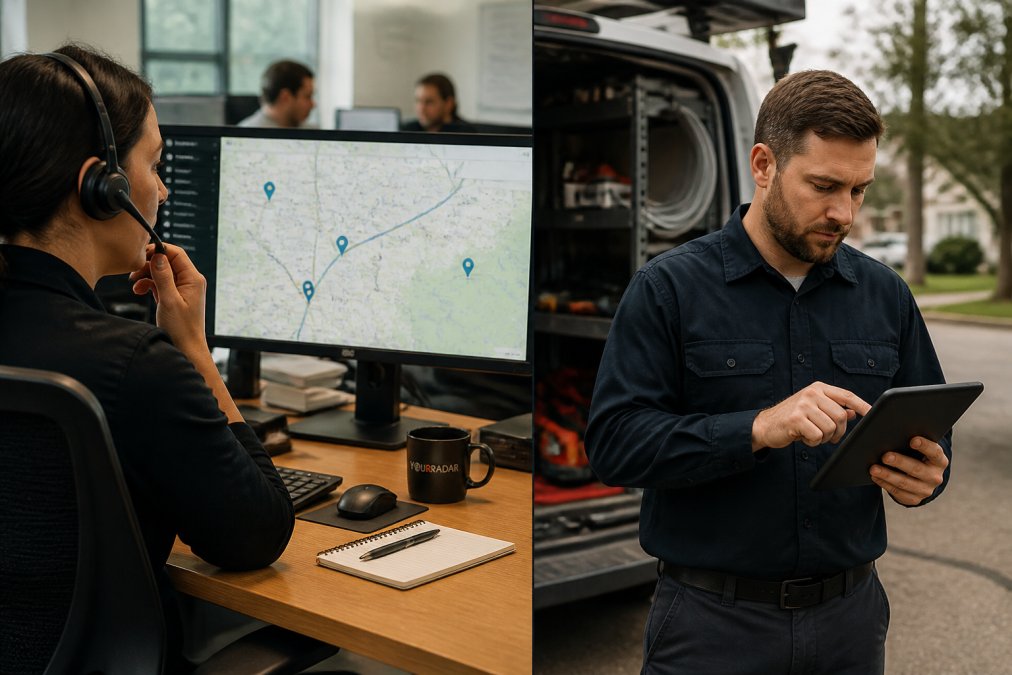
Running a trades business with 5 to 50 employees often means the owner acts as dispatcher, accountant, and HR department all at once. Field workforce management software solves this by centralizing dispatch, time tracking, and job data into a single mobile-driven platform, giving owners real-time visibility into where their crews are and what they are doing.
The core value is straightforward: when your technicians spend less time on paperwork and phone tag, they spend more time on revenue-generating work. This guide from YourRadar breaks down tools for field workforce management, focusing on platforms that address the practical realities of running a service business.
But before comparing specific tools, it is worth quantifying what the manual approach actually costs. Consider a typical 10-technician crew where each worker spends just 30 minutes per day on manual timesheets, driving back to the shop for job details, or calling the office for schedule changes. At a blended billable rate of $85 per hour, that half-hour of non-productive time per technician represents roughly $42.50 per day per person. Across a 22-day working month, that is $935 per technician, or $9,350 per month for the crew, lost to administrative friction rather than customer work.
The less visible cost is the delay in cash flow. When timesheets sit in a truck for a week before reaching the office, and invoices go out another week after that, a job completed on the 1st of the month may not generate payment until the 45th day or later. Field workforce management tools that capture time electronically at the job site and sync it to invoicing can compress that cycle by 10 to 15 days. For a business doing $80,000 in monthly revenue, that acceleration can meaningfully improve working capital without taking on additional debt.
There is also the question of what happens when a job goes wrong. Without a digital record of when a technician arrived, what work was performed, and what the customer approved, disputes become he-said-she-said exercises. Tools that timestamp arrivals, log completed tasks, and capture customer signatures on a tablet create an audit trail that protects the business in warranty disputes or billing disagreements.
Below, we compare options. But first, here is what most software comparisons miss: the human side of adoption. The best platform on paper fails if your technicians refuse to use it, so we weigh ease of use and change management as heavily as feature lists.
Quick Comparison of Field Workforce Management Tools
Choosing the right platform depends on your operational priorities. Here is a summary of contenders based on their core strengths, target users, and the practical factors that determine whether a tool actually delivers value.
|
Tool |
Best For |
Standout Feature |
Key Limitation |
Typical Implementation Timeline |
Offline Functionality |
|---|---|---|---|---|---|
|
YourRadar |
Scaling trades businesses |
Dispatch mapping and automated timesheets |
Less suited for non-trades general HR needs |
2-4 weeks with dedicated onboarding support |
Full job data and timesheet capture offline; syncs when connectivity returns |
|
Connecteam |
Deskless teams needing communication |
Mobile-first app with free tier |
Pricing scales with user count |
1-2 weeks for basic setup; self-serve model |
Limited offline mode; core chat and forms require connection |
|
Paycor |
Growing firms with payroll needs |
Strong payroll integration |
Can be overkill for small teams |
4-8 weeks due to payroll configuration |
Time capture offline; broader HR features require connection |
|
Monday.com |
Customizable project tracking |
Highly visual boards |
Significant setup time required |
4-12 weeks depending on workflow complexity |
Mobile app has limited offline cache; not designed for field-first use |
|
Truein |
Contract and temporary staff |
Facial recognition attendance |
Hardware may be required |
1-2 weeks for attendance setup |
Attendance marking works offline; syncs on reconnect |
|
BambooHR |
Small to mid-sized HR needs |
Centralized employee database |
Lacks field-specific dispatch features |
2-4 weeks for HR data migration |
No offline field functionality; designed for office-based HR tasks |
What the Comparison Table Does Not Tell You
Three factors rarely appear in vendor marketing but consistently determine whether a deployment succeeds.
First, implementation time-to-value. Most software review sites list features but ignore how long it takes to see a return. Platforms requiring heavy customization, Monday.com being the clearest example, consume 6 to 12 weeks of configuration before a single work order runs through the system. During that period, your team maintains parallel processes in the old system and the new one, doubling administrative load. By contrast, field-service-specific tools like YourRadar typically get a pilot crew live within two weeks.
Second, offline resilience. Trades businesses operate in basements, parking garages, rural job sites, and buildings with thick concrete walls where cellular signals simply do not reach. If your chosen tool requires a live connection for a technician to view the day’s schedule, mark a job complete, or capture a customer signature, you have just created a new reason for the crew to call the office. Ask the vendor directly: “What exactly can a technician do with zero connectivity?” The answer separates field-first tools from office software with a mobile add-on.
Third, total cost of ownership beyond the subscription. The monthly per-user price is only the starting point. Factor in the cost of training time (typically 4 to 8 hours per technician at their billable rate), the hardware required (ruggedized tablets run $400 to $800 each if your crew does not already carry them), and the ongoing administrative effort to maintain user accounts, integrations, and workflow updates. A tool priced at $8 per user per month can end up costing more than a $35-per-user platform once these hidden expenses are calculated.
|
Cost Category |
Questions to Ask |
Why It Matters |
|---|---|---|
|
Training |
Is onboarding included? How many hours of live support? |
Untrained technicians abandon the tool within weeks |
|
Hardware |
Does the mobile app work on existing devices? Are rugged cases needed? |
Field environments destroy consumer-grade phones |
|
Integrations |
Are connectors to your accounting and CRM included or paid add-ons? |
Integration maintenance is an ongoing IT cost |
|
Data migration |
Who pays for moving customer and job history into the new system? |
Poor migration causes duplicate records and billing errors |
|
Support tier |
Is phone support 24/7 or only business hours? |
Evening and weekend jobs need help when the office is closed |
1. YourRadar: Built for Scaling Trades Businesses
Our top pick is YourRadar, a mobile-driven platform designed specifically for trades businesses aiming to scale. Unlike generic project management tools, YourRadar focuses on the operational loop that matters most: dispatching the right technician, tracking their time automatically, and converting that data into accurate invoices. The platform is backed by KDI’s 25 years of industry experience.
What sets YourRadar apart is its customizable feature set. You are not forced into a rigid workflow; instead, you configure the suite around how your business actually operates. For owners concerned about non-tech-savvy employees, the interface is simple and easy to use. One customer noted that the software made processing invoices much easier, keeping all files in a single place for easier access both in the office and in the field.
For a trades business, field workforce management is about more than tracking hours. It is about increasing billable hours through simplified timesheet processing and improving workforce monitoring via dispatch mapping. YourRadar delivers on both fronts, and the in-house development team provides ongoing support that generalist software vendors often lack.
2. Connecteam: Best Mobile Experience for Deskless Teams
Connecteam is an all-in-one mobile-first workforce management app built for deskless teams. If your primary challenge is keeping your field staff connected and communicating, this platform excels. It offers GPS-based time tracking and geofencing, which lets you verify that technicians clock in at the job site rather than the coffee shop.
The mobile experience is genuinely excellent, and the free plan for small teams makes it an attractive starting point. However, the pricing can scale quickly as your user count increases. It is a strong communication tool, but it lacks the deep field service features that a dedicated platform provides.
3. Paycor: Strong Payroll Integration for Growing Firms
Paycor is a human capital management platform that includes workforce management tools for scheduling and time tracking. For firms that have outgrown basic payroll software, Paycor offers a compelling upgrade. The mobile app allows employees to clock in and out, request PTO, and manage their schedules from the field.
The strength here is the integration between time tracking and payroll. Compliance-focused reporting reduces the risk of wage and hour violations. The tradeoff is that Paycor can be overkill for very small businesses, if you have eight employees and just need basic scheduling, this platform’s comprehensive HR features may be more than you need.
4. Monday.com: Customizable Project Tracking for Field Ops
Monday.com takes a different approach. It is a flexible work operating system that you can customize for field workforce management. The visual boards are excellent for tracking projects, tasks, and status updates across a team.
The platform shines for cross-departmental collaboration, making it easy for office staff and field crews to stay on the same page. The integration library is extensive, connecting with Slack, Google Drive, and other tools you already use. The downside is the setup time, building custom workflows for dispatch and field operations requires significant configuration.
5. Truein: Managing Contract and Temporary Field Staff
Truein is a workforce management tool specifically designed for contract and deskless staff. If your business relies on a rotating pool of temporary workers or subcontractors, this platform addresses that unique challenge. The standout feature is facial recognition for attendance tracking, which provides a high level of accuracy and prevents buddy punching.
Automated shift scheduling and roster management simplify the administrative burden of coordinating transient teams. Integration with payroll systems ensures that workers are paid correctly. The potential barrier is the hardware requirement for facial recognition, if your technicians do not have compatible devices, you may need to invest in additional hardware.
6. BambooHR: All-in-One HR for Small to Mid-Sized Teams
BambooHR is an HR software platform that includes tools for tracking employee time and managing workforce data. For small to mid-sized businesses looking for an all-in-one HR solution, it is a strong contender. The centralized employee database keeps all personnel records in one place, and time tracking and attendance management are included.
The mobile app supports employee self-service, allowing staff to update their information and request time off without involving the office. The user experience is excellent, and implementation is straightforward. The limitation is that BambooHR lacks specialized field service features, there is no dispatch mapping, no job scheduling for crews, and no route optimization.
Choosing the right software comes down to your operational priorities. If you need a dedicated platform that handles dispatch, timesheets, and billing for a scaling trades business, YourRadar offers the specialized features and in-house support to make the transition smooth. Request a demo with YourRadar to see how it maps to your specific workflow.
Frequently Asked Questions
What are the essential features of field workforce management software?
Essential features for field workforce management tools include job scheduling and dispatching, real-time GPS tracking of technicians, digital work orders, time tracking, and customer communication portals. For trades businesses, mobile app capabilities are critical, as technicians need to update job status and capture signatures on-site. Look for software that integrates with your accounting tools to keep billing accurate and reduce duplicate data entry.
How long does it take to implement field workforce management software?
Implementation timelines vary by software and company size. A simple setup for a small team can take a few days, while a full rollout with integrations and custom workflows may take several weeks. Ask vendors about their onboarding process and whether they offer dedicated support. YourRadar, for example, has an in-house team that assists with setup. Plan for a phased rollout, starting with one team or office, to reduce disruption.
How do I get my field technicians to actually use new software?
Resistance usually comes from tools that are not designed for mobile use or require too many steps. Choose software with a simple, mobile-first interface that works offline in areas with poor connectivity. Involve your technicians in the selection process and show them how the app saves them time, such as eliminating paper timesheets. Provide short training sessions and identify a ‘champion’ on the team who can support the rest.
Can field service management software help increase billable hours?
Yes. Automated timesheets and streamlined scheduling directly impact billable hours by reducing time spent on administrative work. When a technician does not have to drive back to the office for paperwork, they can complete more jobs. Real-time visibility also lets you spot idle time and adjust schedules on the fly. Improved billing accuracy means every hour of work is captured and invoiced correctly.