Table of Contents
- Why a 10-Person Team Needs the Right Dispatch Software
- Quick Comparison: Best Dispatch Software for 10 Employees
- YourRadar: Built for Trades Teams That Want to Scale
- Connecteam: Best Free Option for Micro-Teams
- Workyard: For Accurate GPS Time Tracking
- Deputy: Strong Shift Scheduling With Payroll Integrations
- Field Service Management Software Pricing 2026: What to Expect
- How Automated Timesheet Software for Trades Saves Hours
- Frequently Asked Questions
Last Updated: September 8, 2026
Why a 10-Person Team Needs the Right Dispatch Software
Running a trades operation with roughly 10 employees sits in an awkward middle zone. Spreadsheets and whiteboards break down once you have more than a handful of crews in the field, yet enterprise-grade platforms are overkill, expensive, and so complex that your team will refuse to use them. The right dispatch software bridges that gap by replacing manual coordination with a single, mobile-driven system that keeps the office and the field on the same page.
For a team of this size, a missed job note, a double-booked technician, or a late timesheet eats into billable hours and forces rework. Dispatch software solves this by centralizing task assignment, shift scheduling, and real-time communication.
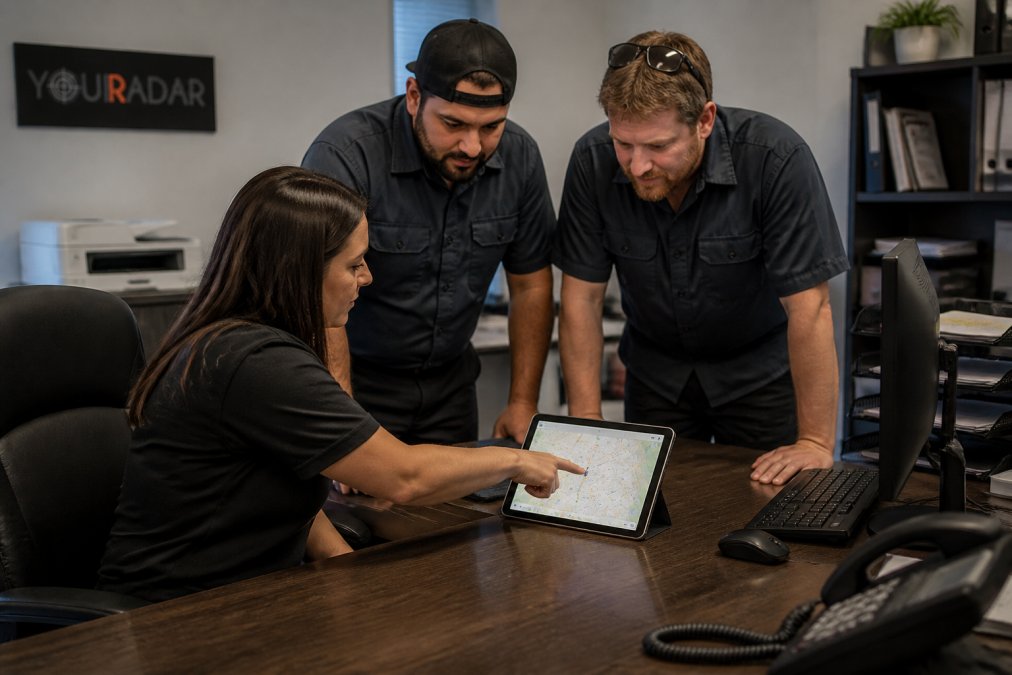
The key is finding a platform designed for your size. You need automated scheduling that respects employee availability, GPS tracking that confirms crews are where they should be, and digital timesheets that flow straight into billing.
Quick Comparison: Best Dispatch Software for 10 Employees
The best dispatch software for 10 employees balances setup speed, cost, and essential features without forcing you to pay for enterprise complexity.
|
Software |
Free Tier |
Starting Price |
Best For |
Standout Feature |
|---|---|---|---|---|
|
YourRadar |
No |
See pricing page |
Scaling trades teams |
Customizable dispatch mapping, checklists and automated timesheets |
|
Connecteam |
Yes (up to 10 users) |
$0/month |
Micro-teams on a budget |
All-in-one management with free forever plan |
|
Workyard |
No |
Contact for pricing |
Construction labor tracking |
Precise GPS time tracking |
|
Deputy |
No |
Approx. $3.50-$9/user/month |
Shift-based scheduling |
Strong payroll integrations |
|
FindMyShift |
Yes (up to 5 users) |
Free |
Very small teams |
Drag-and-drop scheduling |
YourRadar: Built for Trades Teams That Want to Scale
YourRadar is a mobile-driven workforce management platform designed specifically for trades businesses. YourRadar connects dispatch mapping, automated timesheets, and customer portals into one workflow. Backed by KDI’s 25 years of industry experience, it is built by people who understand how a service business actually runs.
The standout benefit is the reduction in administrative time. Timesheets are processed automatically, capturing time accurately the moment work happens. Your dispatcher can monitor the whole crew on a live map, and customer portals keep clients informed without constant phone calls.
For a team planning to grow beyond 10 employees, the customizable feature set means you will not outgrow it. An in-house development team provides ongoing support and can tailor the platform to your workflows.
Connecteam: Best Free Option for Micro-Teams
If your budget is essentially zero and you have exactly 10 employees or fewer, Connecteam is worth a serious look. Its free forever plan covers up to 10 users and includes the core tools a small operation needs: real-time GPS time clock, job scheduling, digital forms, and in-app chat for team communication.
The strength here is consolidation. Your crew gets one app for clocking in, seeing their schedule, and messaging the office, removing the friction of juggling separate tools.
The tradeoff is that advanced features sit behind paid tiers. As soon as you need deeper reporting, more automation, or additional users, the cost climbs. For a micro-team that wants to test digital dispatch without spending anything, Connecteam is a safe entry point.
Workyard: For Accurate GPS Time Tracking
Construction and field service businesses that live and die by accurate labor data should evaluate Workyard. This platform puts GPS-based time tracking at the center of its dispatch model, giving you precise location data on every crew member and automated scheduling around those verified hours.
Where Workyard genuinely excels is project cost tracking. You see labor costs against your budget in real time, helping you spot a job that is bleeding money before it finishes. The mobile-first design means field workers log time from their phones without extra hardware.
The limitation is scope. Workyard focuses heavily on labor tracking and profitability, but places less emphasis on customer-facing tools like quoting, invoicing, or client communication. If your pain point is purely “I don’t trust my timesheets,” this is a strong candidate.
Deputy: Strong Shift Scheduling With Payroll Integrations
Deputy approaches dispatch from the workforce management angle, making it a compelling choice for businesses that run structured shifts and need clean handoffs to payroll. The scheduling interface is genuinely intuitive, with drag-and-drop tools, automated shift creation based on employee availability, and built-in shift swapping that reduces your administrative burden.
The standout feature is payroll integration. Deputy connects with major payroll providers, so approved timesheets flow directly into your payroll run without re-keying. For a 10-person team, this can save several hours every pay period.
However, Deputy lacks the field-service-specific features that trades businesses need. There is no quoting, no invoicing, and no job-costing tied to materials. It solves scheduling and labor compliance well, but you will still need separate tools to run your actual service operation. As noted in Deputy’s product documentation, the platform is optimized for hourly workforce management rather than end-to-end field service delivery.
Field Service Management Software Pricing 2026: What to Expect
Pricing for field service management software in 2026 varies widely based on features, user count, and whether you choose a free tier or a paid subscription.
The market generally splits into three tiers. Premium platforms designed for scaling trades teams, like YourRadar, price based on the feature set you need and often include customization, dedicated support, and advanced reporting.
For accurate, current pricing on YourRadar’s plans, visit the YourRadar pricing page to see what is included at each tier. Most platforms in this category offer a free trial, which is the best way to test whether your team will actually adopt the software before you commit.
The Real Cost Question: What Does Manual Coordination Actually Cost You?
Most pricing guides compare software subscriptions against each other, but they skip the comparison that matters most: the cost of the software versus the cost of your current manual process. For a 10-person team, that manual process is rarely free.
A common pattern is that a 10-person trades team spends 5 to 10 hours per week on manual scheduling, timesheet collection, and customer status updates. At an administrative wage of $25 to $35 per hour, that is $125 to $350 per week, or $6,500 to $18,200 per year. Add the cost of a single missed or double-booked job per month, which can easily run $200 to $500 in lost labor and customer goodwill, and the annual drag of manual coordination often lands between $10,000 and $25,000.
Against that backdrop, a paid dispatch platform at $50 to $150 per month for 10 users is not an expense; it is a cost avoidance measure. The ROI calculation is straightforward: if the software eliminates even half of that manual coordination time and prevents one missed job per quarter, it pays for itself many times over.
Hidden Costs to Watch For
Beyond the monthly subscription, three hidden costs commonly catch small teams off guard. First, implementation and data migration. If you are moving from spreadsheets, budget for a few hours of setup time. Second, per-user overage fees. If you have exactly 10 employees today but hire an 11th next month, check whether the platform charges per additional user or forces you to jump to a higher tier. Third, integration costs. If your dispatch software does not natively connect to your accounting or payroll provider, you may need a middleware tool or manual export.
A practical approach is to calculate your all-in cost for the first year, including setup time, per-user fees, and any integration work, before comparing platforms.
The Free Tier Trap for Growing Teams
Free tiers are attractive, but they come with a structural limitation for a 10-person team that plans to grow. Once you cross the user threshold, you are forced onto a paid plan, and the transition is rarely seamless.
For accurate, current pricing on YourRadar’s plans, visit the YourRadar pricing page to see what is included at each tier. Most platforms in this category offer a free trial, which is the best way to test whether your team will actually adopt the software before you commit.
How Automated Timesheet Software for Trades Saves Hours
Manual timesheets are the silent killer of profitability in small trades businesses. When a technician finishes a job at 4 PM and writes down their hours on a paper log that reaches the office two days later, you have already lost the ability to bill accurately and the data is ripe for error. Automated timesheet software for trades eliminates this entirely by capturing time the moment work happens.
The practical impact is measurable across three areas. First, billable hours increase because time is recorded in real time rather than reconstructed from memory. Second, the billing and auditing process becomes smoother, as one customer of YourRadar noted: the software “made the processing of our invoices much easier” by keeping all files in a single place. Third, overtime alerts and labor cost control become automatic.
Compliance with local labor laws also improves. Digital timesheets create an accurate, auditable record of hours worked, which matters if a dispute ever arises. According to guidance from the Canadian Centre for Occupational Health and Safety, maintaining accurate records of employee hours is a fundamental employer obligation.
For a 10-person team, the shift from manual to automated timesheets typically pays for itself in the first pay period. The real question is not whether to automate, but which platform your crew will actually use. That is where research on mobile workforce technology adoption consistently shows the same result: ease of use determines success more than any single feature. A tool your technicians ignore saves nothing, which is why YourRadar’s focus on a simple interface for non-tech-savvy employees is the feature that matters most.
The Compliance Angle Most Guides Miss
Most dispatch software reviews treat labor law compliance as a footnote, but for a 10-person trades team, it is a daily operational concern. Each province sets its own rules for overtime, daily rest periods, and statutory holiday pay, and the onus is on the employer to keep accurate records.
Here is a practical compliance checklist to run against any dispatch software you evaluate:
- Overtime thresholds: Does the system flag hours that cross your province’s daily or weekly overtime threshold (for example, after 8 hours in a day or 44 hours in a week in many jurisdictions)?
- Break and rest periods: Can you schedule and enforce mandatory breaks, and does the timesheet record them accurately? Some provinces require a 30-minute break after 5 consecutive hours.
- Statutory holiday eligibility: Does the software track the “last day worked before the holiday” and “days worked in the 4 weeks prior” that determine holiday pay eligibility?
- Record retention: Employment standards legislation in most provinces requires you to keep payroll and hour records for a specific period, often 3 to 6 years after employment ends. Does the platform export records in a format you can archive?
- Travel time vs. billable time: For trades teams, travel between jobs is often paid but not billable. Does the system distinguish between the two so you stay compliant on wages without inflating customer invoices?
A common pattern is that small teams discover these requirements only after an audit or an employee complaint. By then, reconstructing months of paper timesheets is nearly impossible.
What to Look for in a Timesheet System for Compliance
Not all automated timesheets are equal when it comes to compliance. The minimum bar is a system that records the exact time of each clock-in and clock-out event, prevents retroactive edits without an audit trail, and allows a manager to approve or reject timesheets before they flow to payroll. Beyond that, look for three features that matter specifically for trades teams. First, geofencing, which confirms a technician was at the job site when they clocked in. Second, a notes field on each timesheet entry, so a technician can explain a delay or a change in scope. Third, a clear approval workflow that routes timesheets to the right manager before payroll runs.
For a 10-person team, the shift from manual to automated timesheets typically pays for itself in the first pay period. The real question is not whether to automate, but which platform your crew will actually use. That is where research on mobile workforce technology adoption consistently shows the same result: ease of use determines success more than any single feature. A tool your technicians ignore saves nothing, which is why YourRadar’s focus on a simple interface for non-tech-savvy employees is the feature that matters most.
Frequently Asked Questions
What features should I look for in dispatch software for a 10-person team?
For a 10-person team, focus on tools that are easy to adopt and cover scheduling, time tracking, and communication without enterprise-level complexity. Look for a drag-and-drop dispatch board, a mobile app your crew will actually use, GPS location tracking, and automated timesheets. Payroll integration is critical to avoid double entry. Since you are a small team, prioritize platforms with fast onboarding and pricing that scales with you, not one that forces you to pay for modules you will never use.
What is the average cost of dispatch software for a 10-employee business?
Pricing varies significantly based on features and deployment. For an accurate view of field service management software pricing, request quotes and free trials. Check YourRadar’s pricing page for current plans, as monthly or annual subscription tiers are offered.
Can dispatch software help with automated timesheets and payroll?
Yes. Many dispatch platforms include automated timesheet software for trades, which lets field workers clock in and out from a mobile app. The system logs hours against specific jobs, so you can send accurate data to payroll without manual entry. This reduces errors and cuts administrative time. Some platforms integrate directly with providers like QuickBooks or ADP, while others export timesheets for easy review. This automation also helps with billing, as you can use the tracked hours to invoice clients for time-and-materials work.
How long does it take to get a 10-person team trained on new dispatch software?
For a team of 10, onboarding usually takes a few days to two weeks, depending on the platform’s complexity. Tools designed for trades businesses often include simple mobile apps that require minimal training. Plan a 30-minute session to show your crew how to accept jobs and log time. The bigger time investment is on the office side, setting up job templates and workflows. Choose a vendor that offers live onboarding support and an in-house team to help you get set up quickly.