Table of Contents
- Why Field Techs Resist Mobile Apps (And Why It’s Your Problem to Solve)
- Step 1: Involve Your Techs Before You Choose the App
- Step 2: Overcome Resistance to New Technology in the Workplace
- Step 3: Follow Field Service App Training Best Practices
- Step 4: Simplify Data Entry and Reporting So Techs Stop Avoiding It
- Step 5: How to Track Field Employee Location Without Losing Trust
- Step 6: Make Real-Time Communication and Offline Mode Non-Negotiable
- Step 7: Measure Adoption and ROI Before You Declare Victory
- Frequently Asked Questions
Last Updated: September 23, 2026
Why Field Techs Resist Mobile Apps (And Why It’s Your Problem to Solve)
Getting field techs to use mobile apps fails for one main reason: the app is built for the office, not the truck. Techs resist when software adds steps instead of removing them.
The real reasons behind pushback
Most pushback comes down to three things:
- Extra work with no payoff. If a tech fills out the app and the paper form, the app is a tax.
- Bad usability in the field. Small buttons, too many taps, and screens that die in sunlight.
- Fear of being watched. GPS tracking without context feels like surveillance.
Treating resistance as a personality flaw is a mistake. It’s feedback.
What happens when adoption fails
When techs skip the app, the office pays: dispatchers call for status updates instead of seeing techs on a map, invoices wait on missing signatures and photos, and billing slows because records live in three places.
Step 1: Involve Your Techs Before You Choose the App
Let your techs test the app before you buy it. Teams that skip this spend months fixing problems their crew spotted in ten minutes.
Run a short discovery session with your crew
Book 30 minutes with your most skeptical tech, not your most enthusiastic one. The skeptic finds every flaw before your customers do.
Ask three questions:
- What takes the longest on a job site right now?
- What do you always have to call the office about?
- What would make you actually open an app every day?
Device compatibility checks to do first
Before any demo, confirm:
- What phones do techs carry, personal or company-issued?
- Do those devices run current iOS or Android versions?
- Is there a mobile device management policy, or would you need one?
- Will the app work on a cracked screen in gloves? Test it.
Skipping the device check is the most expensive mistake in this process. If the app only works on newer phones, you’re quietly adding hardware costs to your rollout. Budget for replacements before you sign, not after.
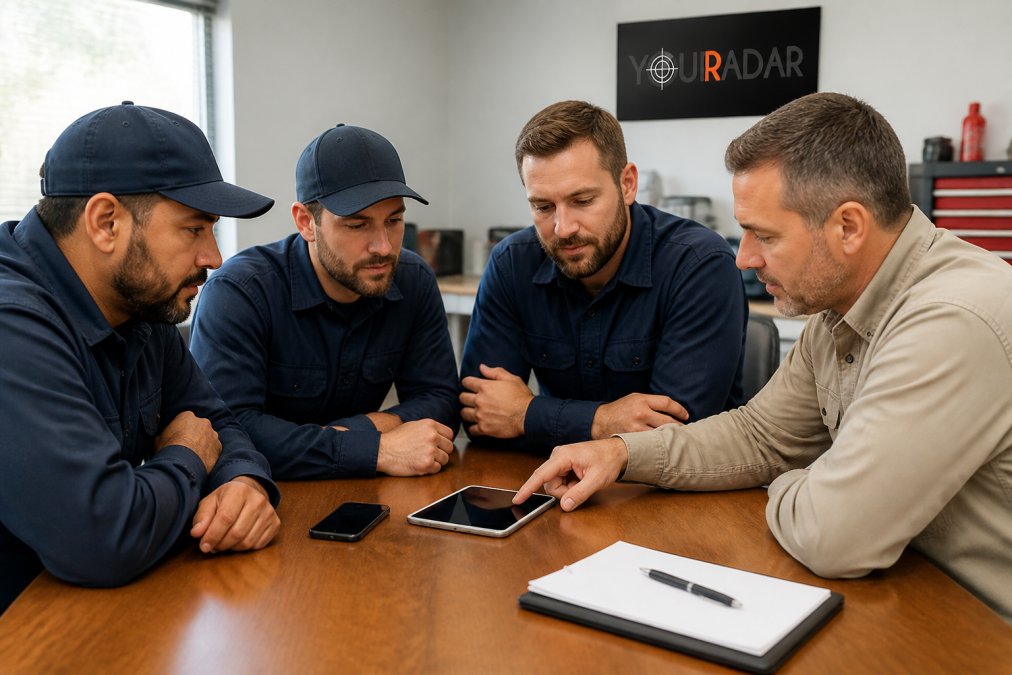
Step 2: Overcome Resistance to New Technology in the Workplace
Overcoming resistance to new technology in the workplace works best as a change management problem, not a training problem. People don’t resist software; they resist losing control of their day.
Build a one-page change plan before you announce anything
Before the rollout email, write one page with five lines:
- Sponsor, the owner or ops lead who signs off on budget and shows up to the first session.
- Change lead, a dispatcher or senior tech who owns adoption day to day.
- Champion per crew, one respected tech per team, chosen by peers.
- Resistance map, the three people most likely to undermine the rollout and what each stands to lose.
- First win, the single workflow you’ll fix in the first 30 days (usually end-of-day paperwork).
Change management psychology that actually works on a job site
Three principles move the needle:
- Loss aversion is real. Frame the app around what techs stop doing: no more paper timesheets, no more calls about invoice numbers.
- Peer proof beats manager proof. One respected tech demoing it to the crew carries more weight than any rollout email.
- Autonomy matters. Let techs customize small things like dashboard layout or notifications.
Add a fourth: status quo bias. Techs default to paper because paper is known. The fastest way to break the default is to remove the paper option from the truck, paired with a working app and a same-day fix channel, or you’ll get quiet workarounds.
Resistance patterns to expect (and what each one actually means)
- “The app is slower than paper.” Usually true for two weeks. Measure taps per report and cut fields until the app wins.
- “I don’t trust the sync.” A signal problem, not an attitude problem. Fix offline mode first.
- “I’m not being tracked.” A transparency problem. Publish the tracking policy in writing and stick to it.
- “I’ll do it at home.” A workload problem. If the app pushes admin into unpaid time, adoption collapses in practice.
Incentive programs that move the needle
Cash per job works short-term and fades fast. Better incentives tie to behaviors the app already logs, so they cost little to administer:
- Time-based: “Finish your reports before you leave the site and you’re done for the day.” Trades a little paid time for same-day billing that pays for itself.
- Visibility-based: Public recognition for the cleanest digital service reports each month. Post the leaderboard in the shop, not an email nobody opens.
- Workload-based: Techs who keep records current get first pick of preferred jobs or shifts.
- Streak-based: Track consecutive days with same-day report completion, a cheap, self-reinforcing habit.
Avoid incentives that reward app opens or login counts. Techs will learn to open the app and do nothing. Tie every incentive to a completed workflow: a submitted report, a captured signature, a closed work order.
How to measure whether the incentive is working
Pick two metrics and review them weekly for 90 days:
- Same-day report completion rate, should climb within three weeks.
- Paper forms still in use, should fall toward zero. If it plateaus, the incentive rewards the wrong behavior.
The strongest incentive is removing a chore. If the app kills the end-of-week paperwork pile, techs will adopt it without a bonus. Build the case around that, and your incentive budget stays small.
Step 3: Follow Field Service App Training Best Practices
Field service app training best practices come down to short sessions, real jobs, and fast fixes. Classroom training doesn’t stick; on-the-job reps do.
Build a 30-day onboarding process
| Week | Focus | Goal |
|---|---|---|
| Week 1 | Basic navigation and job check-in | Techs log one job per day in the app |
| Week 2 | Digital service reports and photos | Reports submitted same-day |
| Week 3 | Time tracking and signatures | No paper timesheets |
| Week 4 | Full workflow, feedback review | Techs flag issues and suggest fixes |
Keep each session under 20 minutes. Do it in the shop, not a conference room.
Use a technician feedback loop to fix what’s broken
Set up a simple channel, a group chat, a weekly five-minute standup, or a form in the app, then act on it.
Step 4: Simplify Data Entry and Reporting So Techs Stop Avoiding It
Data entry is where most rollouts die. If the app takes longer than paper, techs pick paper every time. Make the app faster.
Digital service reports and signature capture
A good digital service report:
- Pre-fills customer info and service history from the last visit
- Adds photos with one tap, not five
- Captures the customer’s signature on the device at the job site
That signature matters for warranty claims and disputes. Paper signatures get lost; digital ones don’t.
Time and expense tracking without the paperwork
Manual time and expense tracking leaks billable hours. Techs forget start times, round to the nearest half hour, or batch a week into one entry.
Step 5: How to Track Field Employee Location Without Losing Trust
How to track field employee location without losing trust starts with transparency. Tell your team what you track, why, and what you don’t do with the data. Surprises kill morale faster than any policy.
GPS tracking and dispatching: what to say to your team
Be direct. Say something like:
“We track vehicle location during work hours so dispatch can send you the closest job. We don’t track you after hours, and we don’t use it for discipline without cause.”
Pair location data with automated scheduling
Location data is only useful when it feeds something. Automated scheduling is the payoff:
- Dispatch assigns the nearest qualified tech
- Route order adjusts in real time as jobs run long
- Techs see their next stop without calling in
Step 6: Make Real-Time Communication and Offline Mode Non-Negotiable
Real-time data synchronization and offline access are non-negotiable. If the app only works with a signal, it fails in basements, rural sites, and concrete buildings.
Real-time data synchronization across the field
When the office updates a job, the tech’s phone should show it within seconds. Same in reverse. A photo uploaded in a crawlspace should land in the office before the tech climbs out.
Offline access for basements, rural sites, and dead zones
Test this before you buy. Here’s a quick checklist:
- Turn on airplane mode and open a job
- Fill out a service report with no signal
- Add photos and a signature
- Reconnect and confirm everything syncs
If any step fails, the app won’t survive a real workday.
Offline mode isn’t a nice-to-have. It’s the difference between a tech trusting the app and a tech keeping a paper backup “just in case.” Test it in the worst signal spot you can find.
Step 7: Measure Adoption and ROI Before You Declare Victory
Measuring adoption means tracking behavior, not logins. A tech who opens the app but still texts photos to the office hasn’t adopted anything. Watch the workflow, not the download count.
The adoption-to-ROI chain
ROI doesn’t come from the app. It comes from four behaviors the app enables. Track each link, because a break upstream kills the return downstream:
- Adoption, techs complete work orders in the app, not on paper.
- Data quality, reports are complete enough to bill without a follow-up call.
- Process speed, jobs move from completion to invoice faster.
- Financial outcome, billable hours and cash collection improve.
KPI tracking and productivity metrics that matter
Track these weekly:
| Metric | What It Tells You | Target Direction |
|---|---|---|
| Same-day report completion | Whether techs finish in the field | Up |
| Paper forms still in use | Where adoption is failing | Down |
| Invoice lag (job to invoice) | Billing speed | Down |
| Calls from techs to dispatch | Whether the app answers questions | Down |
| Billable hours per tech | Revenue impact | Up |
| First-time-fix rate | Whether data quality supports the next visit | Up |
Pick three. Review them every Friday for 90 days, then monthly with a baseline-versus-current comparison to show ownership the delta.
A simple ROI model you can build in a spreadsheet
No consultant needed. Build four columns:
- Baseline (pre-app): average invoice lag in days, billable hours per tech per week, admin hours per week chasing paperwork.
- Current (post-app): the same three numbers from the app’s reports.
- Delta: the change in each.
- Value: convert the delta to dollars using your labor rate and average job value.
The honest answer to “how do you know this pays off?” is that you measure it. If invoice lag and billable hours don’t move in 90 days, the problem is the rollout, not the app.
ROI is a chain, not a number. If any link breaks, adoption, data quality, process speed, the financial outcome stalls. Fix the earliest broken link, not the last one.
BYOD versus company-issued devices: the decision that decides adoption
This gap quietly kills rollouts. Before you measure anything, decide who owns the hardware.
Bring Your Own Device (BYOD)
- Lower upfront cost, faster rollout; techs already know their phone, reducing training friction.
- Risks: mixed OS versions, cracked screens, privacy concerns, who pays for data.
- Requires a written policy on what the company can see, what it can’t, and how the device is wiped if a tech leaves.
Company-issued devices
- Consistent hardware and OS makes support and updates predictable, with cleaner work/personal separation.
- Higher upfront cost and a replacement cycle to budget for.
- Techs may still carry a personal phone, so the two-device problem remains.
Hybrid (most common in trades)
- Rugged devices for techs who need them; others get a stipend for personal phones.
- Stipends vary by region and carrier, set yours against local market rates, not a blog number.
Mobile device management and hardware compatibility
Adoption stalls when hardware fails. Set up basic mobile device management to push updates, lock lost phones, and swap broken devices fast.
What “good” looks like at 90 days
A healthy rollout at 90 days shows:
- Same-day report completion above 80% of jobs.
- Paper forms effectively retired from daily use.
- Invoice lag cut meaningfully against your own baseline.
- A working feedback channel where techs report issues and see fixes.
If you’re hitting those, the app pays for itself. If not, go back to the chain and find the broken link.
Frequently Asked Questions
Why do field technicians resist using mobile apps?
Most resistance comes from fear of surveillance, past experience with clunky software, and the belief that typing on a phone slows them down. Techs who have spent years working from paper tickets worry that a field techs mobile apps rollout is really about tracking their every move. Address the concern directly: explain what data is collected, why it helps them (fewer callbacks, faster invoicing), and let them test the app before it goes live.
How do you encourage staff to adopt new field service software?
Start by involving your techs in the selection process so they have ownership. Roll out in phases with a 30-day onboarding process, assign a peer champion on each crew, and tie early adoption to a small incentive like a gas card or bonus. Track usage weekly and share wins publicly, such as faster invoice turnaround. When techs see the app reducing their admin time, adoption follows.
What are the best practices for training field techs on new mobile tools?
Keep sessions short and hands-on. Run 20-minute in-person walkthroughs using real work orders, not demo data. Pair less confident techs with a peer mentor for the first two weeks. Create a one-page quick reference card for the three most common tasks: clocking in, uploading photos, and capturing a signature. Follow up at day 7 and day 30 to catch problems before they become habits.
How can mobile apps improve field service productivity?
Mobile apps cut the gap between finishing a job and getting paid. Digital service reports, signature capture, and time and expense tracking remove the paper trail that delays invoicing by days. Automated scheduling and dispatching reduce windshield time. Offline mode means techs keep working in basements or rural sites without losing data. Over a month, those small time savings add up to more billable hours per tech.
Getting field techs to use mobile apps is a change management job, not a software purchase. The tools matter, but the rollout decides whether they stick.
If you’re tired of chasing paper timesheets and missing signatures, YourRadar is built for trades teams that need this to work the first time. Dispatch mapping, automated timesheets, customer portals, and an interface your least tech-friendly tech can learn in a day. Request a demo and see how it fits your crew.